IPPEX Cloud V 1.11 Release Notes


Introduction
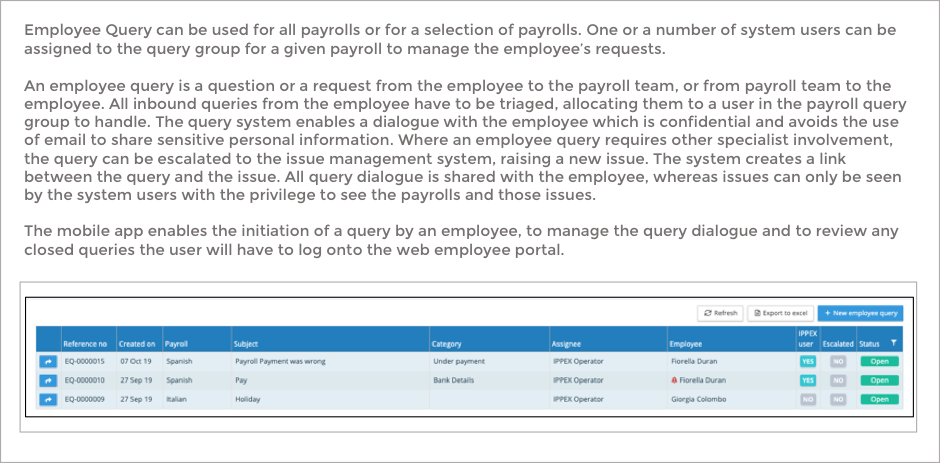
The major focus of this release is the extension to the employee web portal experience to include Employee Query. Employee query enables the employees to raise a question related to payroll. Employee Query can be used for all payrolls or for a selection of payrolls. One or a number of system users can be assigned to a query group for a given payroll to manage the employee’s requests.
An employee query is a question or a request from the employee to the payroll team, or from payroll team to the employee. All inbound queries from the employee have to be triaged, allocating them to a user in the payroll query group to handle. The query system enables a dialogue with the employee which is confidential and avoids the use of email to share sensitive personal information. Where an employee query requires other specialist involvement, the query can be escalated to the issue management system, raising a new issue. The system creates a link between the query and the issue. All query dialogue is shared with the employee, whereas issues can only be seen by the system users with the privilege to see the payrolls and those issues.
The mobile app enables the initiation of a query by an employee, to manage the query dialogue and to review any closed queries the user will have to log onto the web employee portal.
Employee Query is a chargeable feature, and can be enabled by a tenancy administrator. Go to System Administration ® Systems and on the features tab check the employee query box.
Change of permissions – Tenancy Administrators now have the rights to delete files in transfer folders.
Employee Query
Introduction
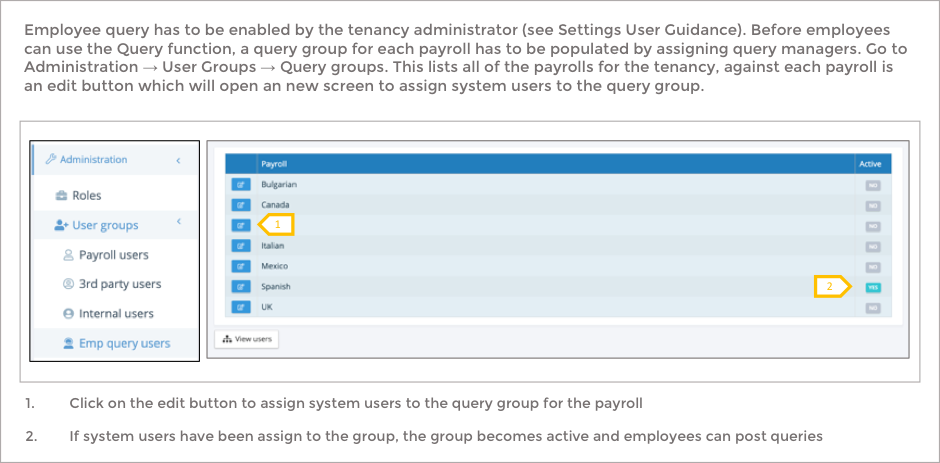
Managing Query Groups
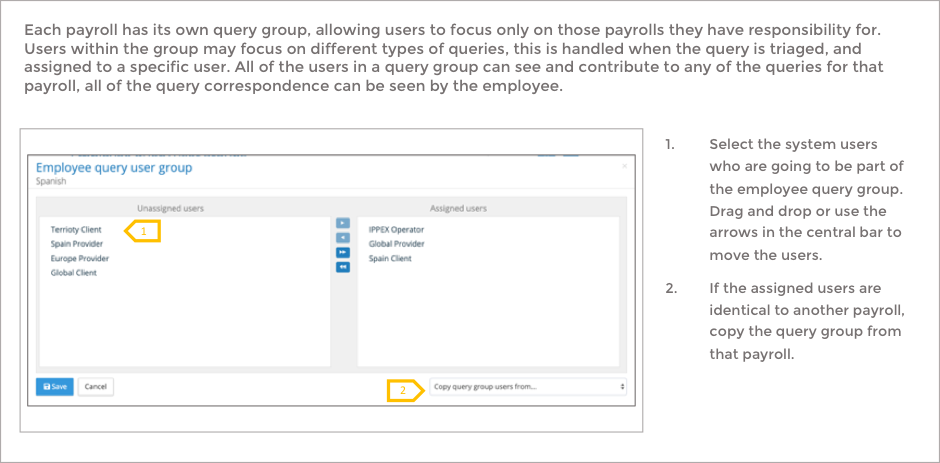
Query group assignment
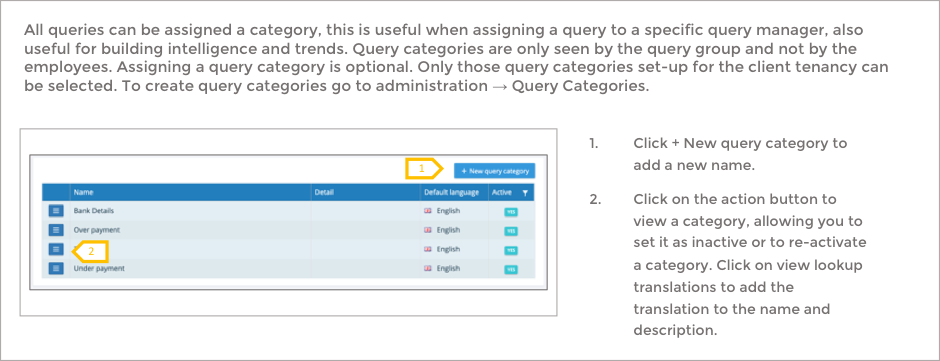
Query Categories
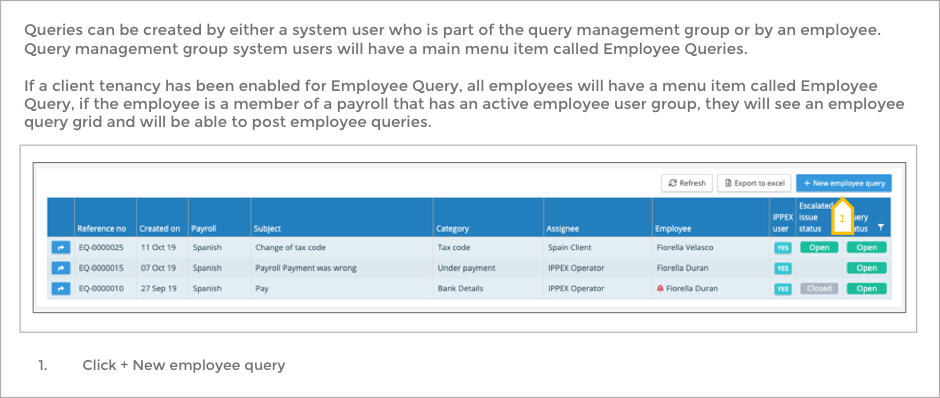
Query Group User creating a query
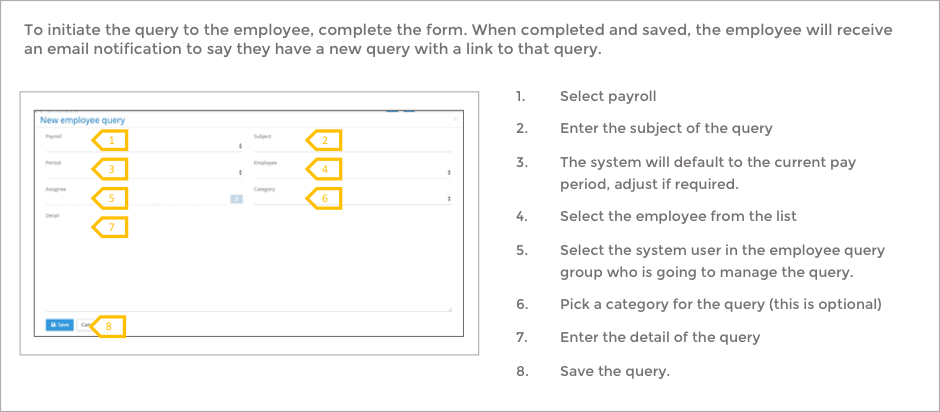
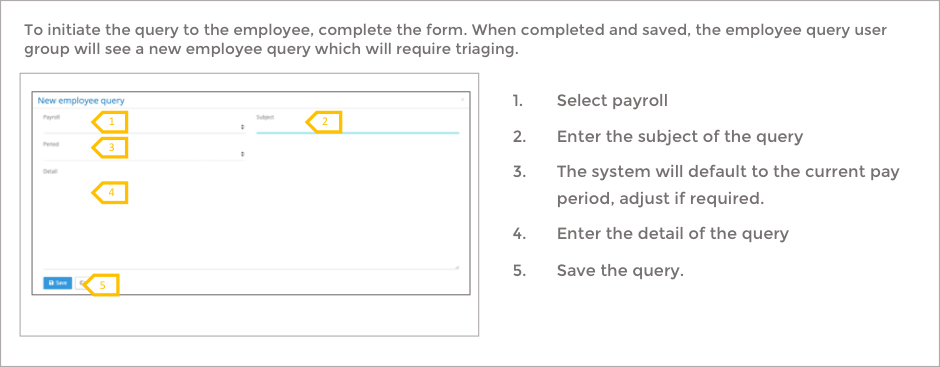
Employee user creating a query
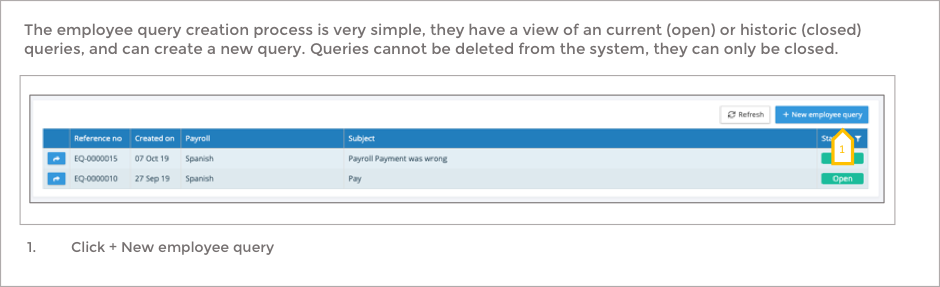
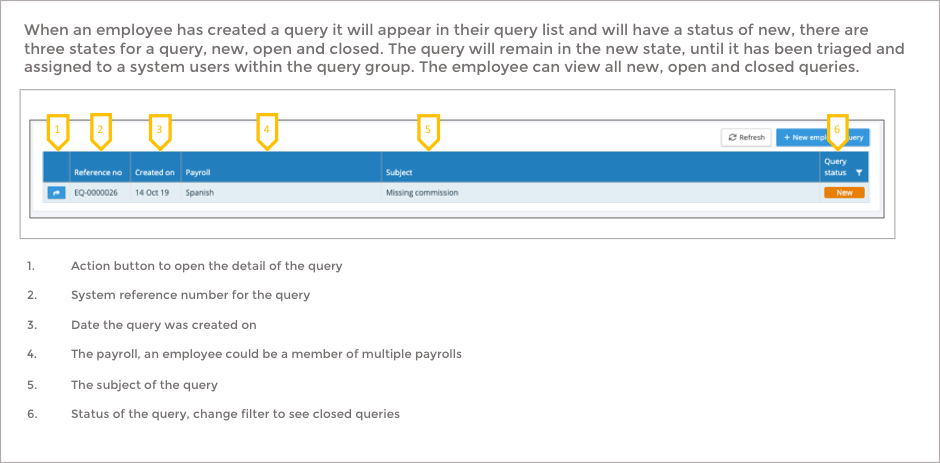
Employee User – Query List
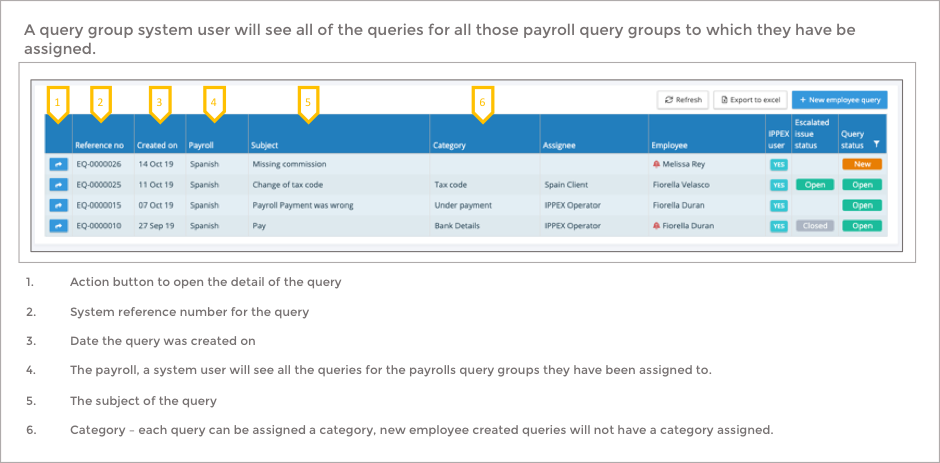
Employee Query Group List
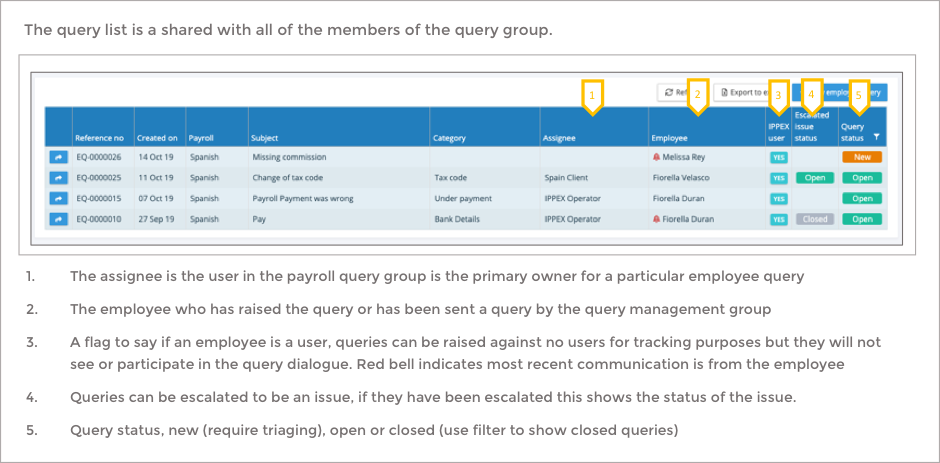
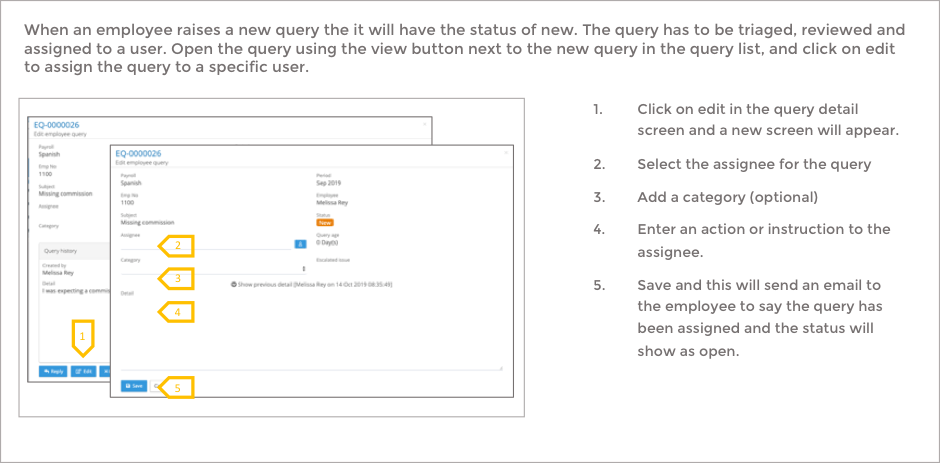
Triaging a new query
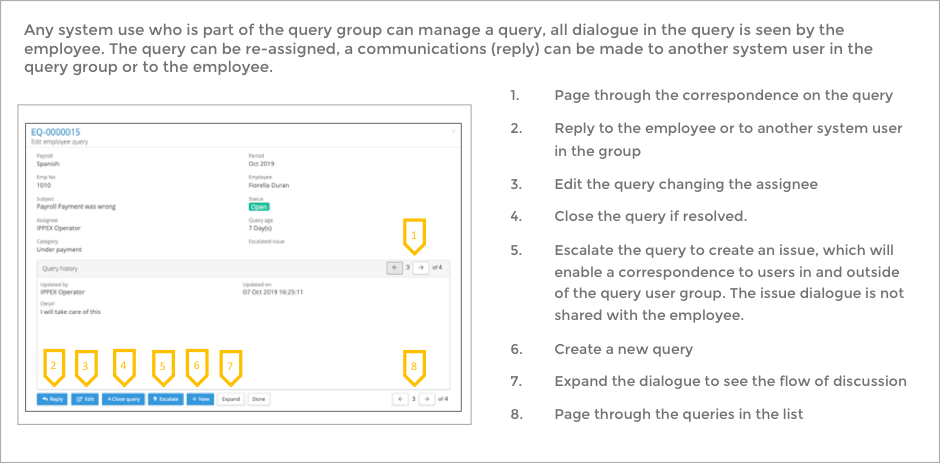
Managing a query
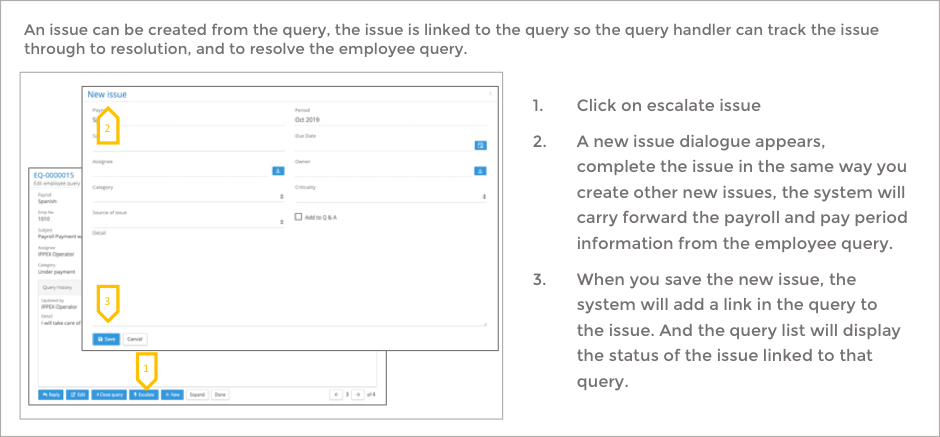
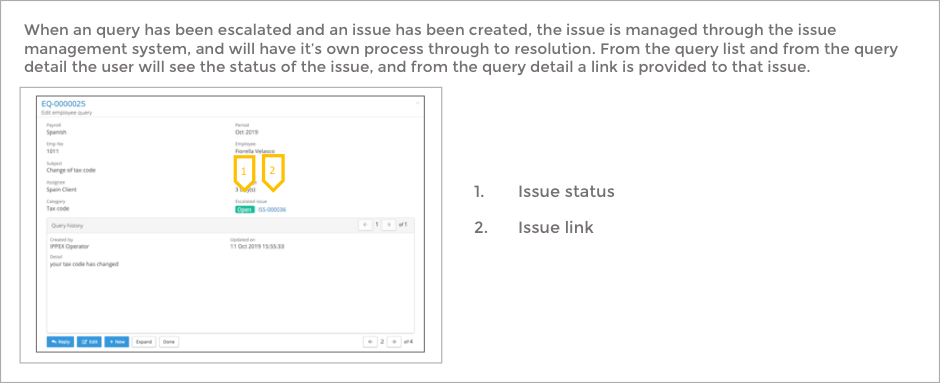
Escalating a query to an issue
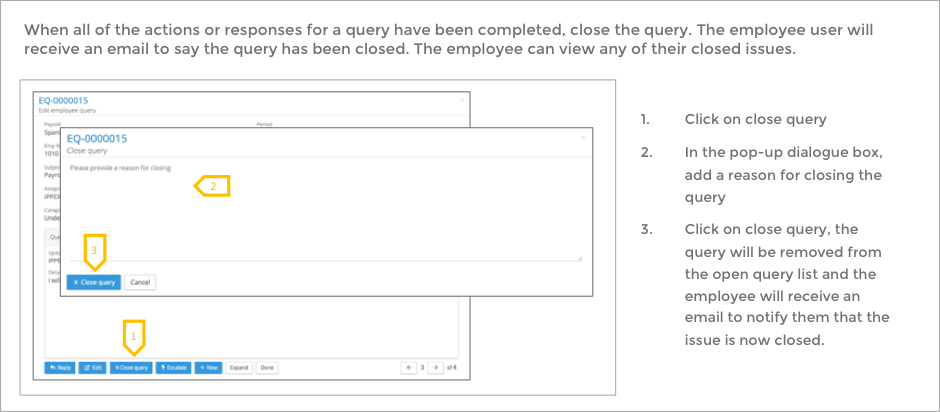
Closing a query