PDF Document Run
The PDF Document-Run enables a user with the pay data update permissions to upload payslips and documents to employee’s document folders for a given payroll. When an employee record has been created, the system generates an employee folder structure. Go to FILES and view the employee folders. An employee user has to be created and then activated to enable an individual employee access to their employee folder.
To upload payslips and documents to employees on a payroll a PDF Document-run configuration is required. The PDF payslip file has to be analysed to establish the structure of the data, to establish the document keys needed to uniquely identify the employee and to set the PDF Document extraction code to match the PDF Document keys to the employee.
Initiate a PDF Document-run uses a PDF document-run configuration to split a PDF file, name and distribute the individual payslips and documents to employees.
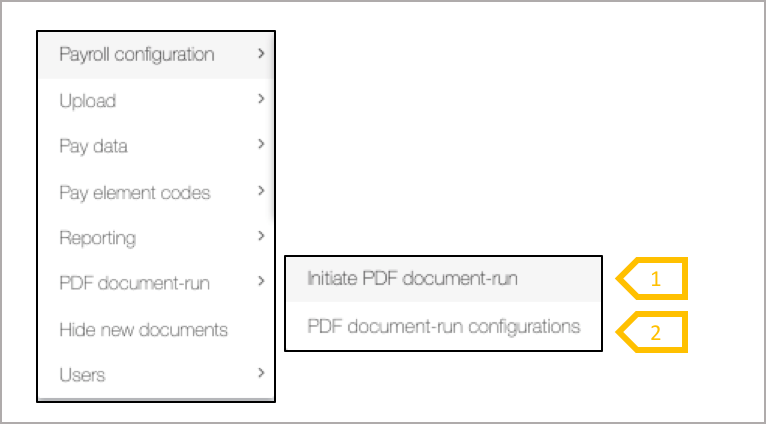
- Initiate PDF Document-run is used with a PDF Document configuration to upload, split and distribute payslips and documents to employee folders.
- PDF Document-run configuration is used to extract from employee PDF document keys from the document to match to a specific employee, renaming the file and storing the file in the employee folder.