Pay data – Pay Elements – Pre-processing element types
Using the payroll action button select pay data → pay elements → Pre-processing. Any number of pre-processing pay element types can be created for a payroll. The pay element types are created during the upload process. A pay element can be anything, such as salary, car allowance, commission. Pay element types are specific to a payroll and are necessary to drive the local payroll process. The pre-processing values are uploaded and stored by pay period.
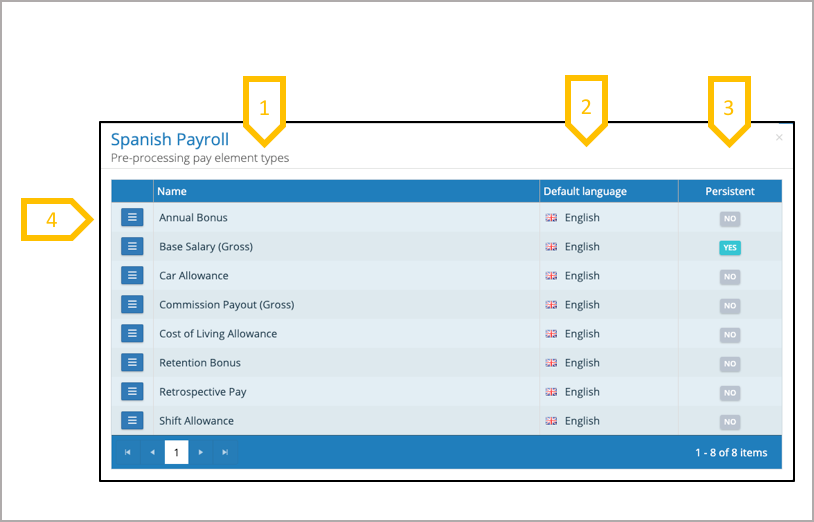
- A pre-processing pay element type is named during the upload process.
- On creation of the pay element will be given a specific default Language.
- A pay element, can be non-persistent or persistent. If a type is persistent, when a value is loaded against an employee for a pay period it will carry forward to the next pay period, the value will remain the same until changed during a pay period upload or removed using #clear# or a zero value against the employee for a pay period upload.
- Action button – View pay element type translations – Translations can be added to any pay element type. This enables users to view and report on employee pay elements with headings in the local language.