IPPEX Cloud V 2.02.0 Release Notes

Introduction
Version 2.2.0 includes a vast expansion of PECI file capabilities within IPPEX Cloud for clients utilising a PECI File Integration. Version 2.2.0 also includes the introduction of the ability to send GL Journals via an FTP Server. The prefix field for collecting files via an FTP server has been increased from 24 to 64. Finally, the GL Journal has had corrections to the ruleset to ‘Convert GL code type for negative values’
FTP Support for GL Journal
GL Journals now have the ability to be transferred via an FTP server in IPPEX Cloud, similar to the current payment file capabilities.
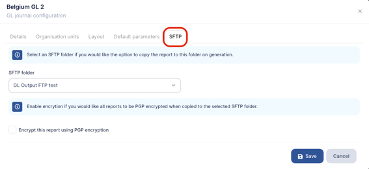
In the GL Journal Report Configuration, there is now an additional ‘SFTP’ Tab where you can select the SFTP Folder to be associated with the GL Journal in question. This is similar to the process of defining an SFTP Folder for a payment file:
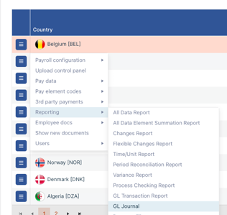
Once the SFTP Folder has been defined in the report configuration, go to Payrolls and, for the payroll in question, run a GL Report as you usually would do in IPPEX Cloud:
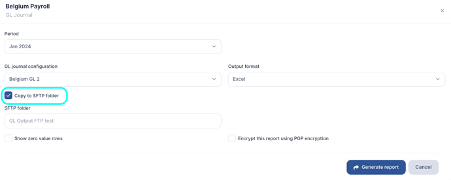
When you are selecting the GL Journal Configuration to be run, you will then have the option to ‘Copy to SFTP Folder’
When you generate the report, you will see in ‘My recent actions’ the additional option to ‘Navigate to SFTP Folder’:
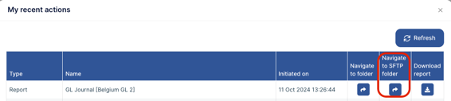
From there you will be taken to the Outbound SFTP Folders and the file will be sitting under the selected FTP Folder ready to be sent. Sending the file is performed in the same manner as a payment file: By selecting the ‘Perform SFTP Transfer’ button in the blue action box.
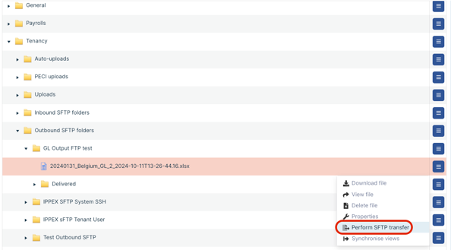
Performing the transfer will move the file into the ‘Delivered’ folder with an accompanying timestamp and results.txt
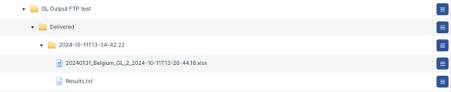
From there, the GL Report should successfully be sitting in the specified FTP Server.
FTP Prefix
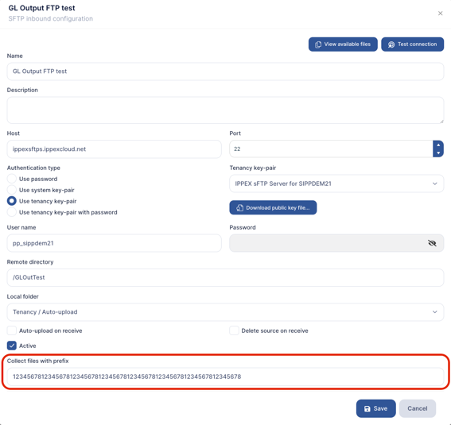
Part of IPPEX Cloud additional security capabilities when receiving files via SFTP, is the ability to collect files only containing a specified prefix. This prefix had a character limit of 24:
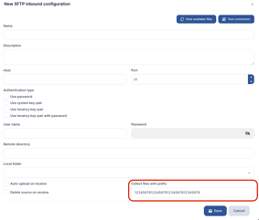
This has now been expanded to allow for a 64 Character Limit: