IPPEX Cloud V 1.47 Release Notes
Introduction
Version 1.47 includes new options for notifting employee users when new documents are available. Additionally, the release adds the ability to mandate comments when closing tasks. Also included is an increase in the number of configurable reporting currencies available for FX rates and transaction reports. Finally, Version 1.47 includes the separation of org units and org unit descriptions on GL Reports.
Notifications to Employees
System users now have the ability to send notifications to either all active employee users, or only to active employee users with a current employee record. This allows for notifications to be sent out to current employees when new documents are available, without notifying any active employee users who have since left the payroll.
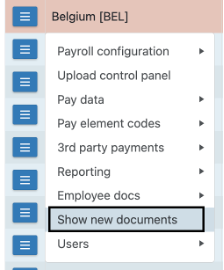
To action this, go to Payrolls and, for the payroll in question, select ‘Show New Documents’:
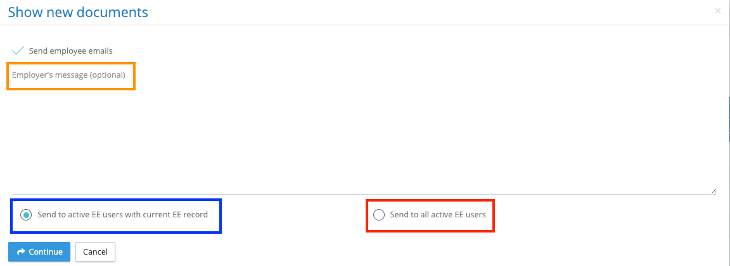
From there you have the option to send notifications only to active EE users with a current EE record (in blue), to all active EE users (in red), and also to add an employer’s message to be send along with the notification (in orange).
Mandatory Comments
Users now have the option to configure tasks to include a mandatory comment on task closure.
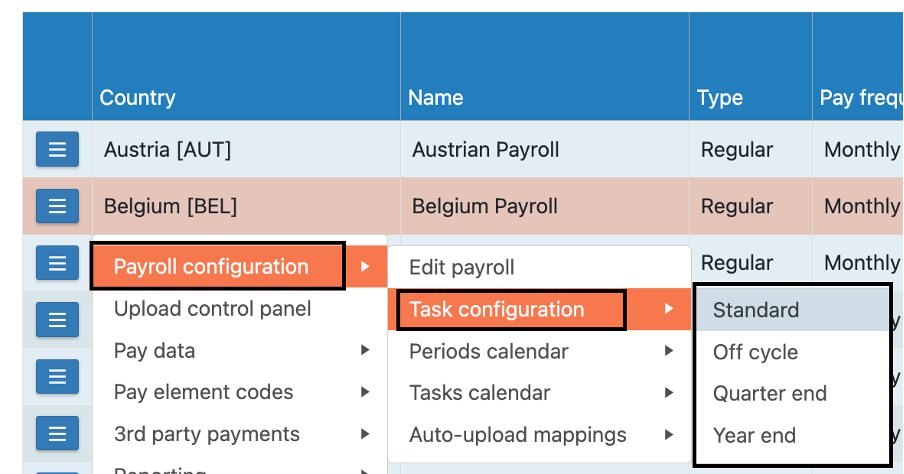
To set up, under the payrolls tab, select the payroll in question and go to Payroll Configuration > Task Configuration > And select the Task list in question:
From there you can toggle certain tasks to have a mandatory closing comment each time a task is closed or only when the task is overdue:
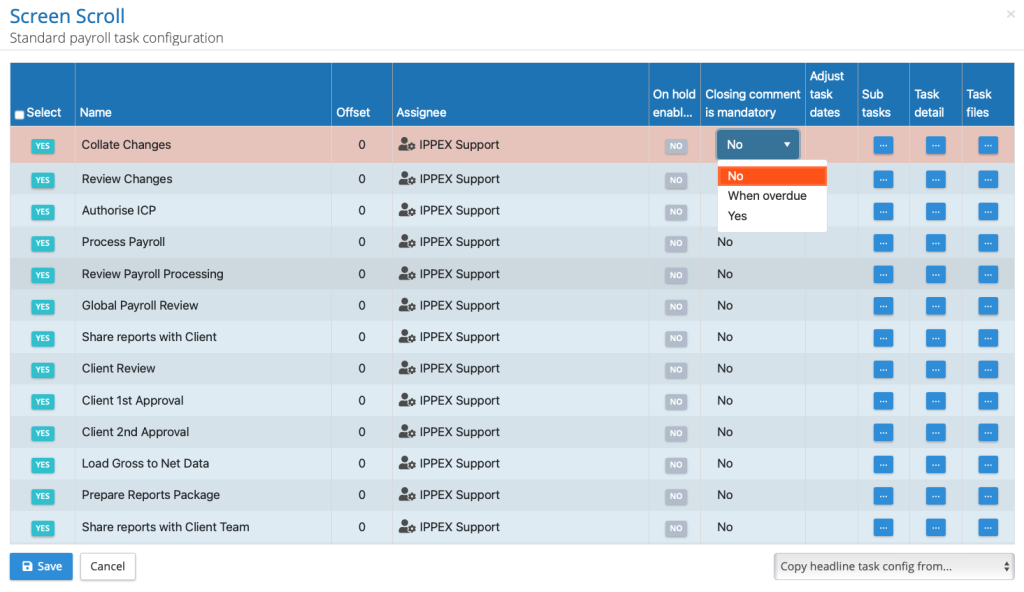
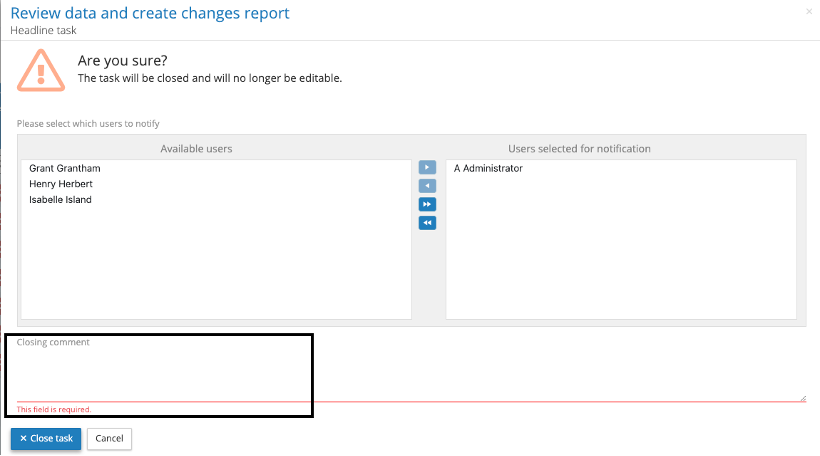
When Yes is selected, you will be unable to close a task if no comment has been included, and you will be prompted to add a closing comment before task closure is permitted. If ‘When overdue’ is selected, when trying to close an overdue task, you will be unable to close a task before a comment has been added.
Reporting Currencies
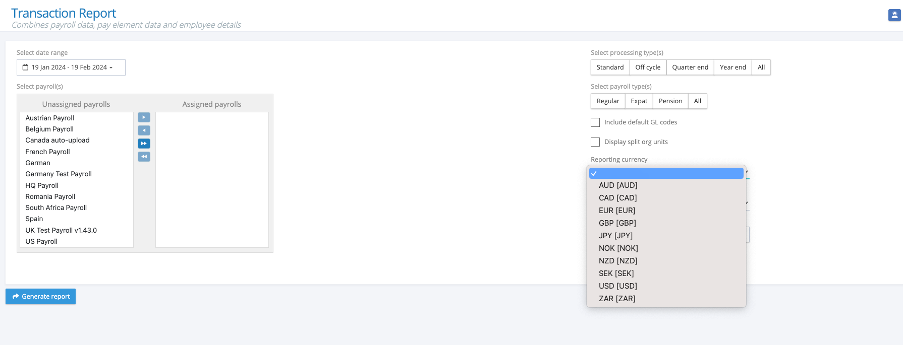
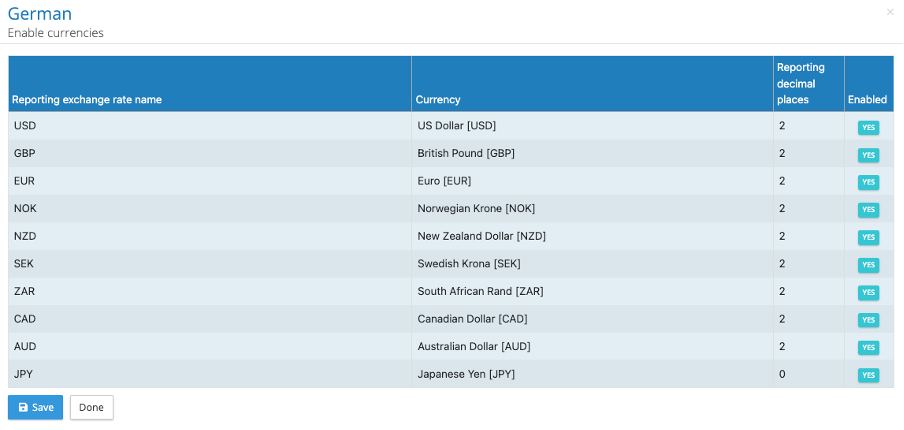
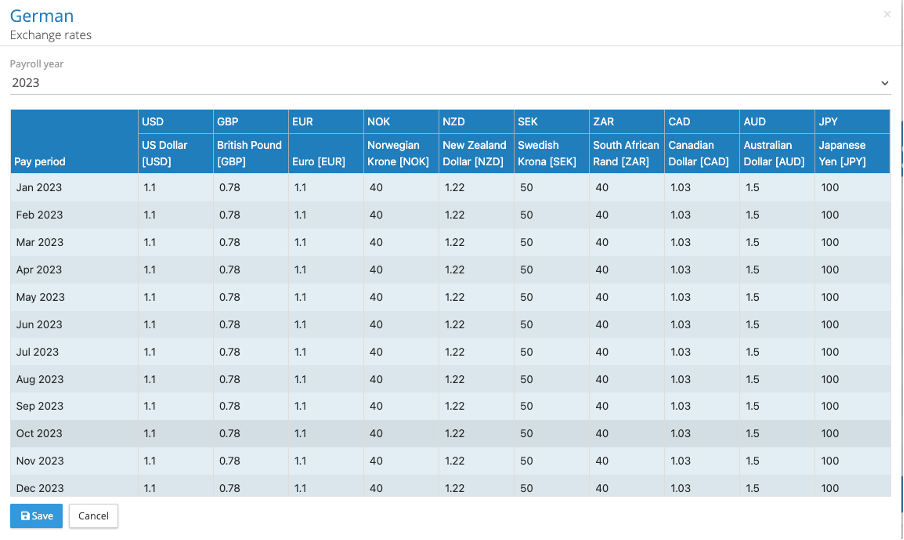
The latest release increases the capacity of reporting currencies to 10. This allows for additional currencies to be used for FX and Transaction Report purposes.
GL Report – Organisation Unit Separation
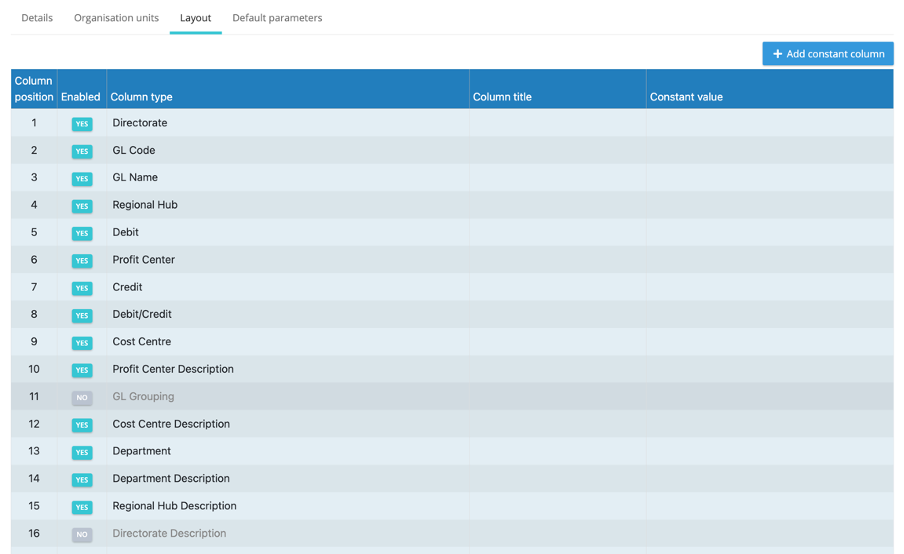
Users now have the ability to configure GL Reports with Organisation Units & Org Unit Descriptions as configurable separate columns in the GL Report Configuration.
Action this from the ‘payrolls’ tab, go to the payroll in question then select Reporting > Configurations > GL Report
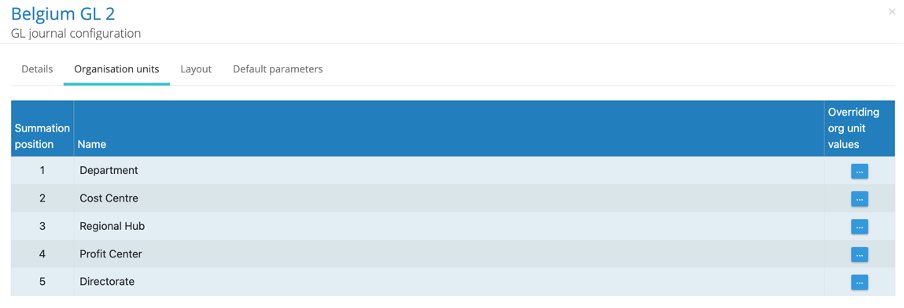
In the GL Report Configuration, under the ‘Organisation Units’ tab, you will see the active GL Org Units. A user will still be able to apply org unit overrides.
Under the ‘layout’ tab, is the option to independently toggle org units and org unit descriptions to be active on the GL report, as well as to freely arrange the desired column order to be reflected in the GL Report: