IPPEX Cloud V 1.24 Release Notes
Introduction
Version 1.24 provides two new reporting functions. Variance reports can be produced in either a tabular format (one row per employee) or list format (one row per employee pay element). The All Data report has been extended to allow for the inclusion of summation columns.
Variance List Report
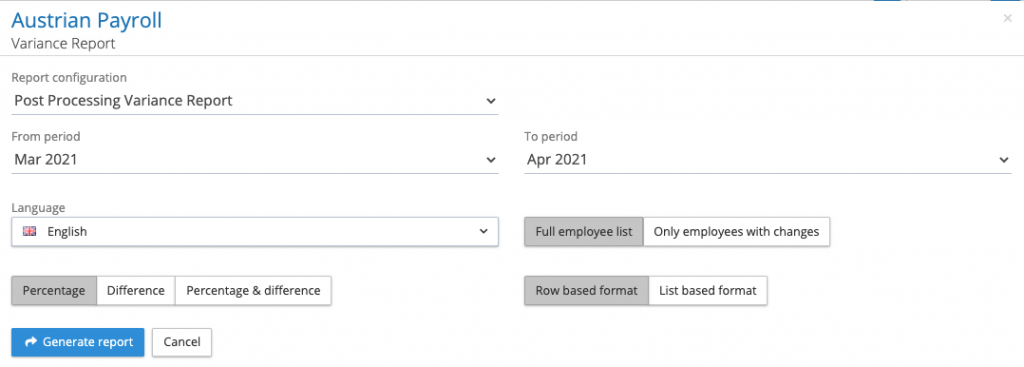
When running a variance report, there is a new option on the kick-off screen to select either a row base format (default option) or list-based format. When the list-based format has been selected, the report will have one row for each pay element or payment category selected in the report, with additional columns to show the percentage or value difference.
All data report summation column
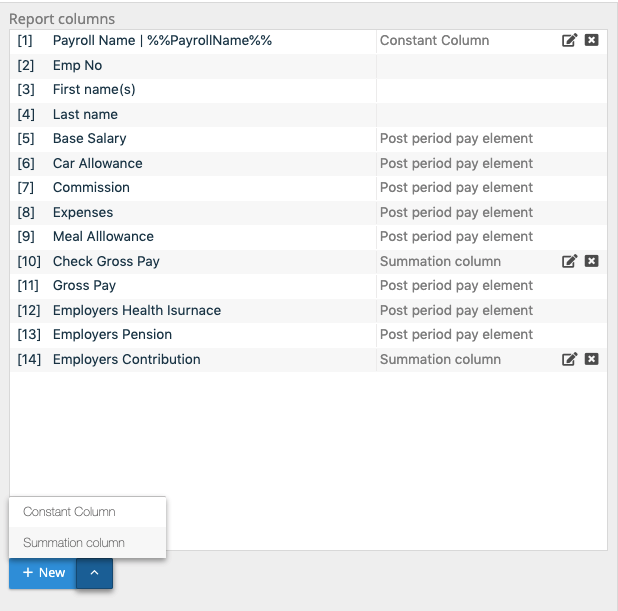
A new function has been added to the All-data report, to insert summation columns. Summation columns operate on payment categories, pre-processing and post-processing pay elements. Using the all data report configurator, select those data items you wish to be included in the report. At the bottom of the report column panel is a +New function, allowing for a constant column or a summation column to be added to the report.
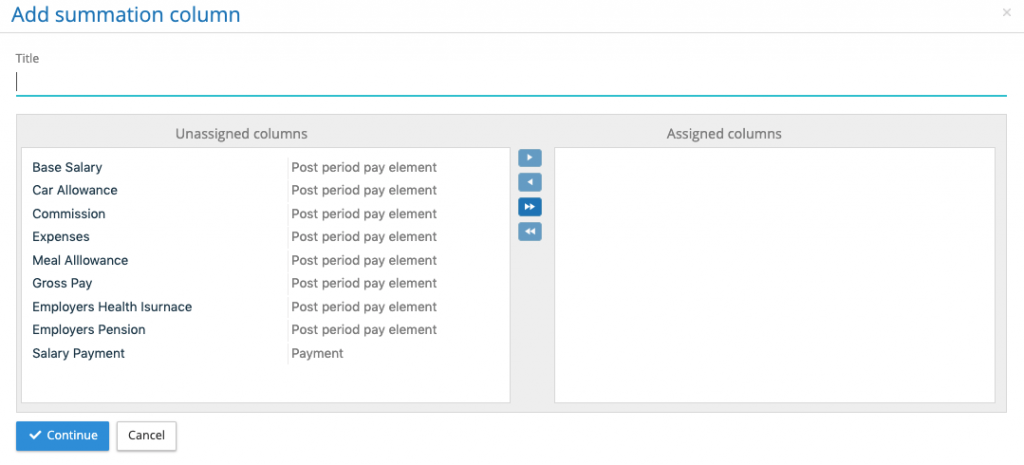
When clicking on the summation column the system will list all of the payment categories, pre-processing and post-processing pay elements that have been placed in the report column panel. Select those items that have to be summated. Give the summation column a title and press continue.
Move the summation column to appropriate place in the column listing. Any number of summation columns can be added.