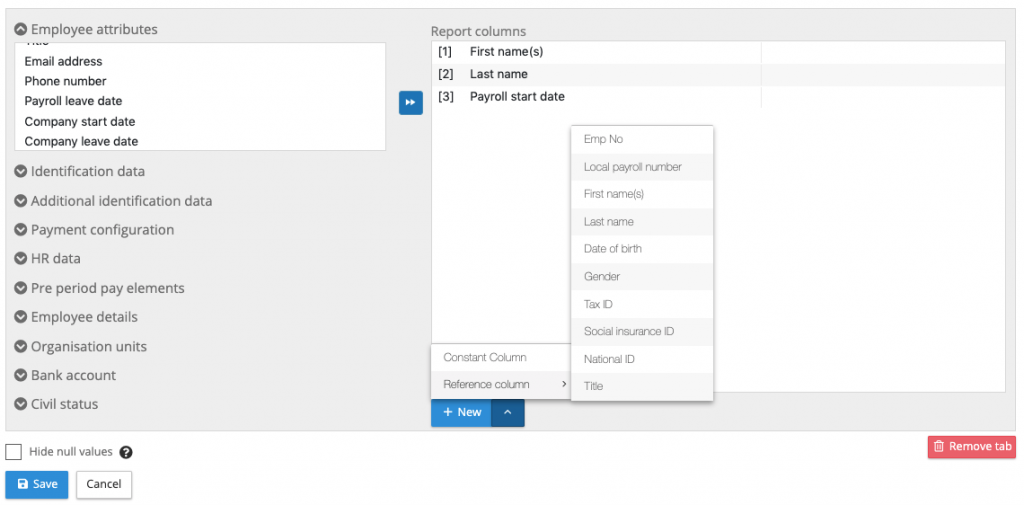
Changes report reference columns
New reference column selection for flexible changes report
The flexible changes report has been designed to structure the changes data report to be in a format that can be directly uploaded into the local country gross to net systems. IPPEX has enhanced the reporting configurator with a facility to include a specific reference columns located in particular column locations within a tabular report output. Any number of the following reference columns can be selected:
- Employee Number
- Local Payroll Number
- First Name(s)
- Last Name
- Title
- Gender
- Date of Birth
- Social Insurance ID
- Tax ID
- National ID
In the flexible report configurator the adding a reference column is similar to adding a constant column, at the bottom of the report columns area is a +New, select your reference column, this will place the item at the bottom of the list. Move the reference column to the right place in the assigned reporting columns. The reference column will bring through the current value held in the employee record.