IPPEX Cloud V 1.10 Release Notes


Introduction
The major component of this release is the configurable GL Journal reporting tool and the introduction of V1.0 of our mobile App. The release also contains a small number of other enhancements.
GL Journal Reports
Version 1.8 provided the foundations for the GL Journal reporting, with the introduction of:
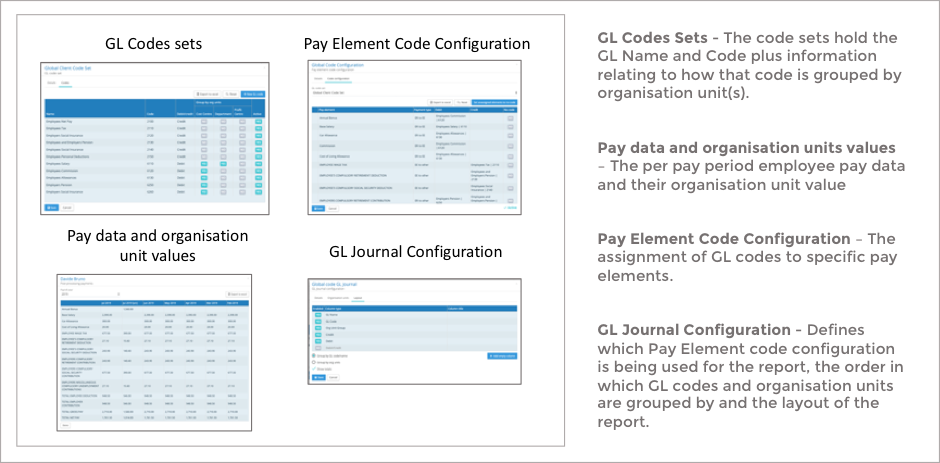
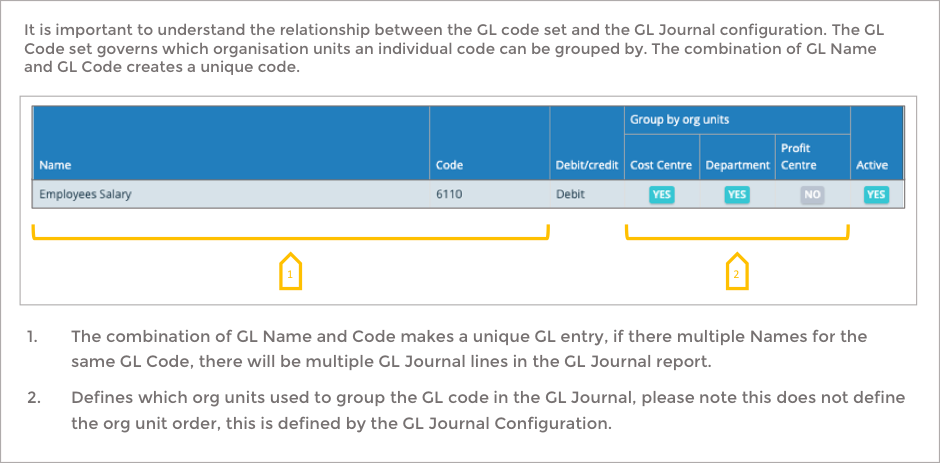
- GL Codes Sets – The ability to store, at a tenancy level, one or more GL codes sets. The code sets hold the GL Name and Code plus information and govern how that code is grouped by organisation unit(s).
- Organisation units – The ability to set up a list of organisation unit types. Permissible unit values and employee unit values can be uploaded for each payroll.
- GL Code Configuration – The assignment of GL codes to specific pay elements.
Version 1.9 introduced the GL Journal transaction report. This report enables those users configuring the GL code sets and GL code configuration to validate the code and its correct assignment to pay elements.
Version 1.10 delivers the last component, the GL Journal configurable reporting tool. There are two parts to this tool, the configuration and the report ‘kick off’ process. To run a GL Journal report all of the other components listed above have to be pre-configured.
GL Journal Report Configuration
The following is an extract from the user guidance material on GL Journal Reporting.
GL Journal Components
GL Code Set forms part of the GL Journal configuration
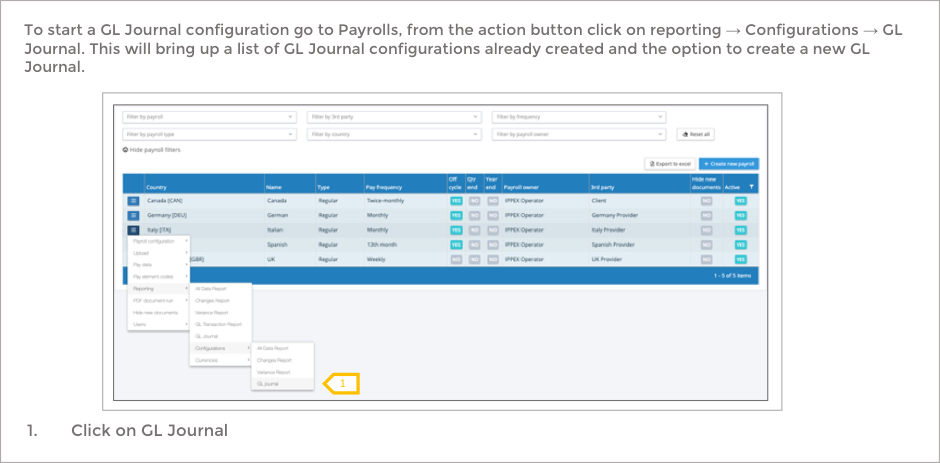
Accessing GL Journal Configurations
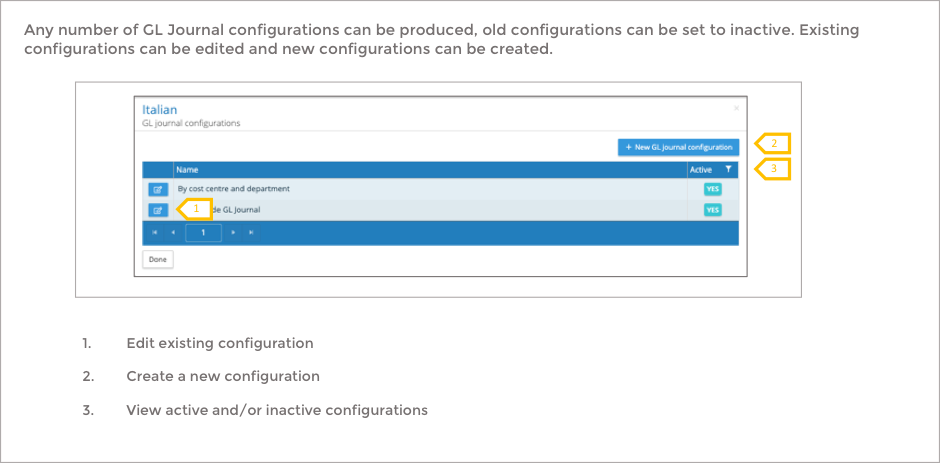
GL Journal List
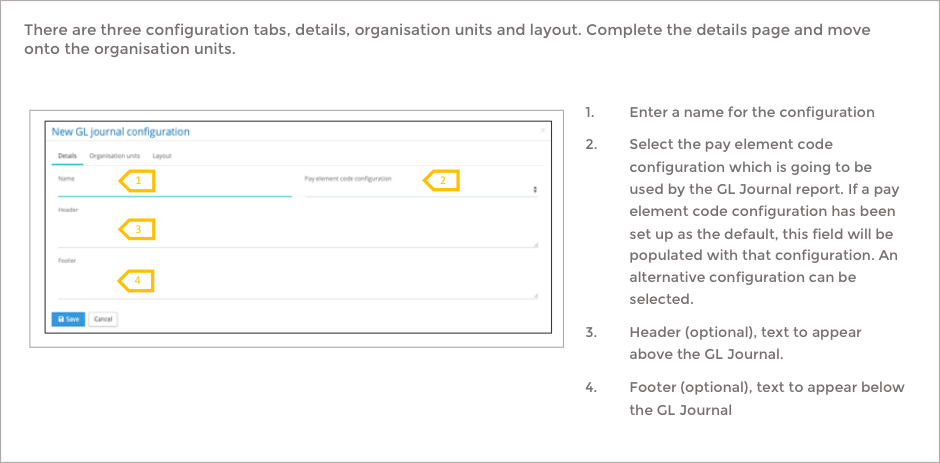
Creating a new GL Journal configuration – Details
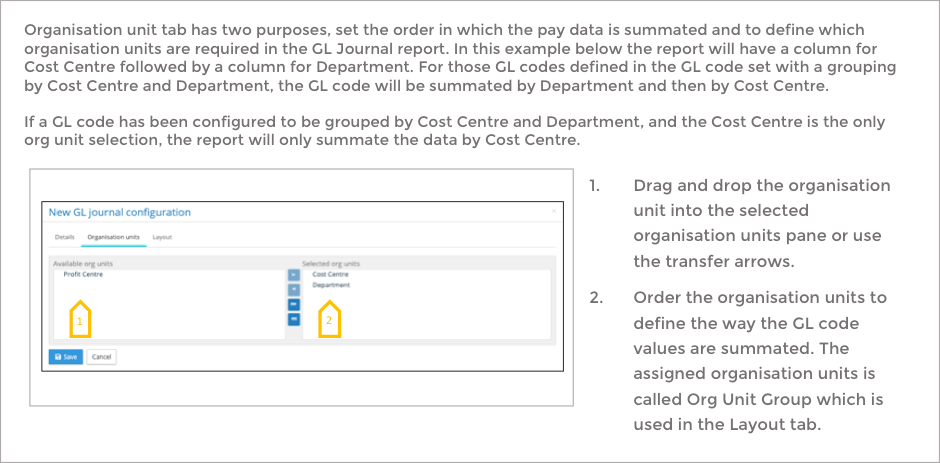
Creating a GL Journal configuration – Organisation Units
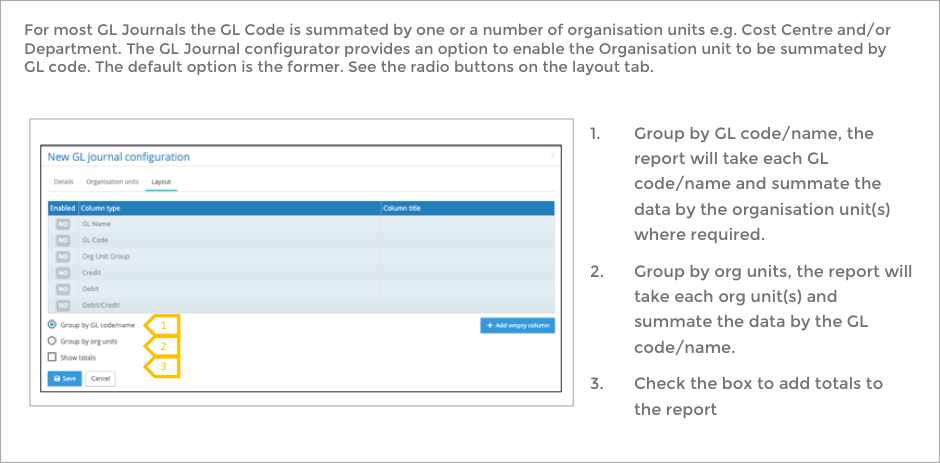
GL Journal configuration – Layout
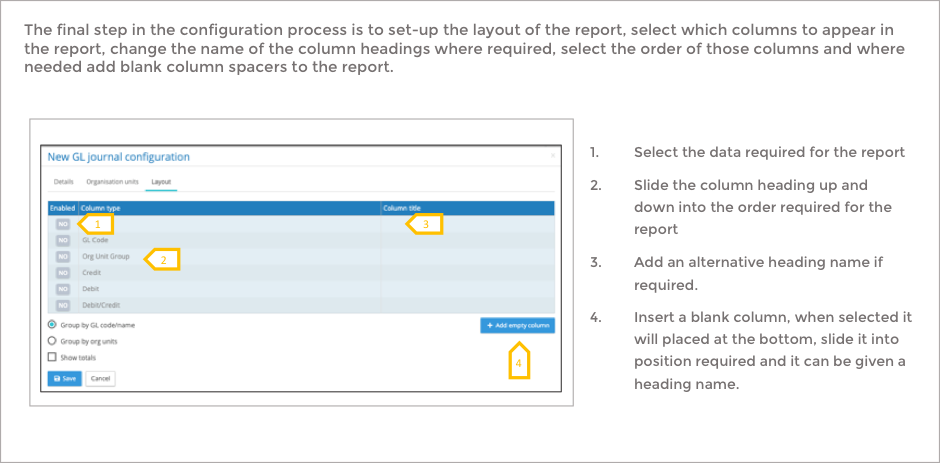
GL Journal configuration – Layout continued
GL Journal Report
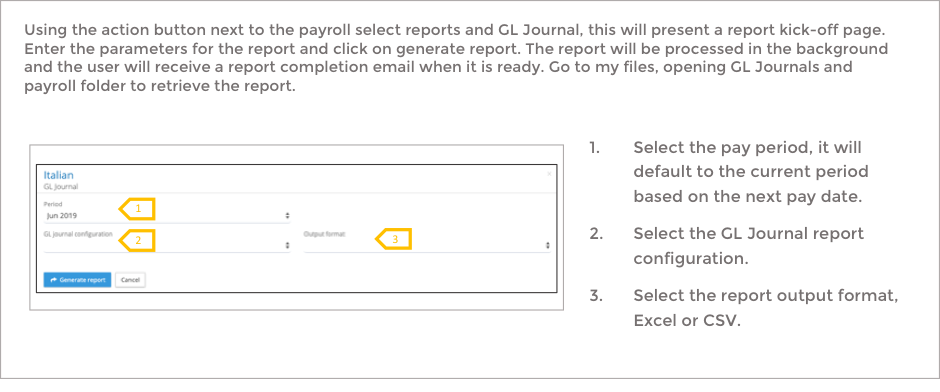
With a GL Journal configuration in place, a report can be run.
Mobile App – It’s Pay Day

We are pleased to announce the first release of our Android and IOS app. Go to the Apple Store or Google Play and search for IPPEX or It’s Pay Day. Alternatively copy the link into your browser:
Apple App Store – https://apps.apple.com/app/id1466749733
Google Play Store – https://play.google.com/store/apps/details?id=com.ippex_mobile&gl=GB
The App sets the foundations for a number of functions, viewing PDF documents (payslips and other documents), updating personal details such as bank account and address and employee query. IPPEX are now building the links to the employee query function within IPPEX Cloud Version 1.11.
Our goal has been to create an icon that stands out on your phone, and sets us apart from other vendors. We already have the proven capability of distributing payslips in over 50 countries through IPPEX Cloud system, and the App enhances the employee access to this information.
There
will be additional enhancements coming soon to the App, as with all software we
are already planning feature enhancements.
Bulk file downloads from FILES folders and TIRNs
This change brings a new folder action menu to both folders and files in the file management system:
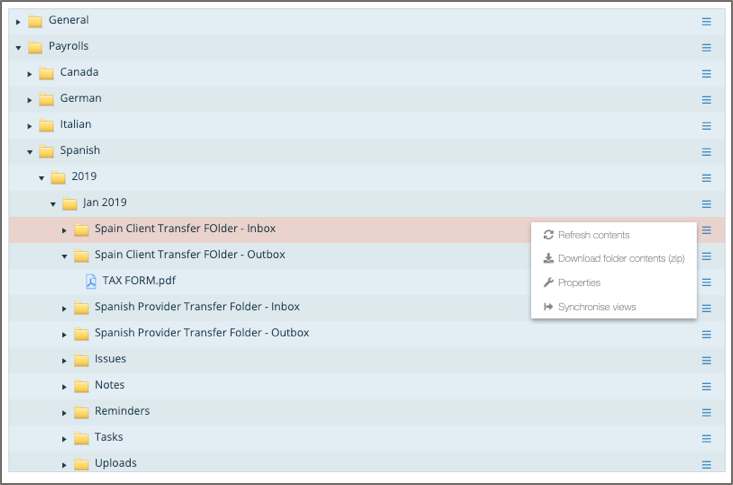
Introducing the ability to download all of the files in a folder in a single Zip file. This also applied to files uploaded to Tasks, Issues, Reminders and Notes.
The other file system enhancement introduces the ability to upload multiple files of the same name. Prior to V1.10 updates to files required a different filename to be uploaded. Version 1.10 allows files with duplicate names to be uploaded, subsequent files will be appended with a generation number in the form of (2) / (3) etc. at the end of the filename.
Post Processing – Disabled Persistent Pay Elements
Based on client feedback, that persistent post-processing pay elements are not required, we have taken the decision to disable the persistent post-processing pay element option. This avoids gross to net data inadvertently being carried forward from one pay period to another.
All data, Changes, Variance and GL Journal Report Names
IPPEX have changed the naming convention of reports when they have been run by a user. The reports are deposited in My Files as before and system auto-generates the report with the pay period data followed by the report configuration name and a date/time stamp when the report was created.
[Year month day][Report configuration name][Date/time stamp]
When creating the report configuration, it may be useful to include part or all of the payroll name in the configuration name, this will minimise any renaming of the reports when they are being transferred to another party.
Adding supplementary periods to current and historic pay periods
We have made changes to allow for the creation of supplementary pay periods (e.g. off cycle) to current and historic pay periods. This enables the back loading of pay data to new payrolls or to allow for late decision to run an off-cycle in the current pay period.