Payroll Groups
When the organisation structure has been mapped out, start by creating the payroll groups, there are three types groups for the payroll user types, internal and 3rdparty user types. Note: file transfer folders are assigned to internal and 3rdparty payroll groups, user need to have a path to payroll group via their user group if they want to access the transfer folder structure. Click on + create new payroll group. Read Overview User Guidance.
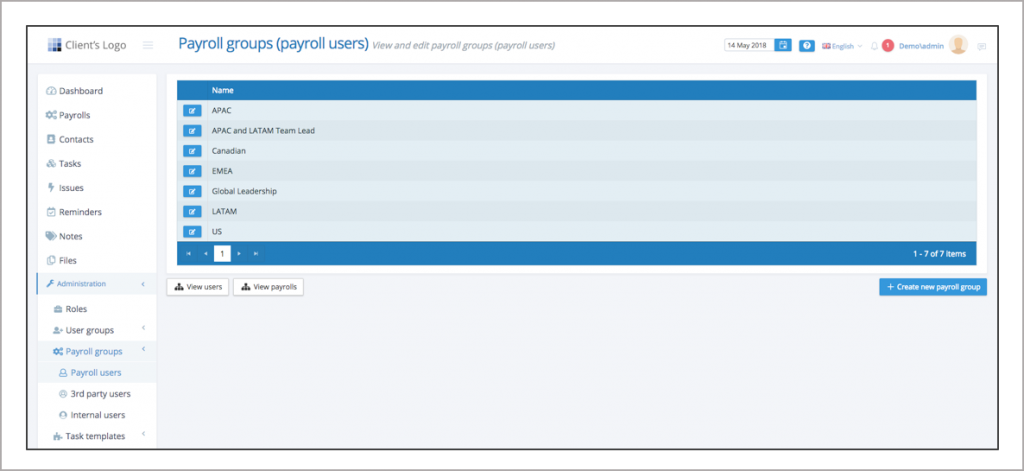
Create new payroll group
Create the pay users, internal and 3rdparty payroll groups.
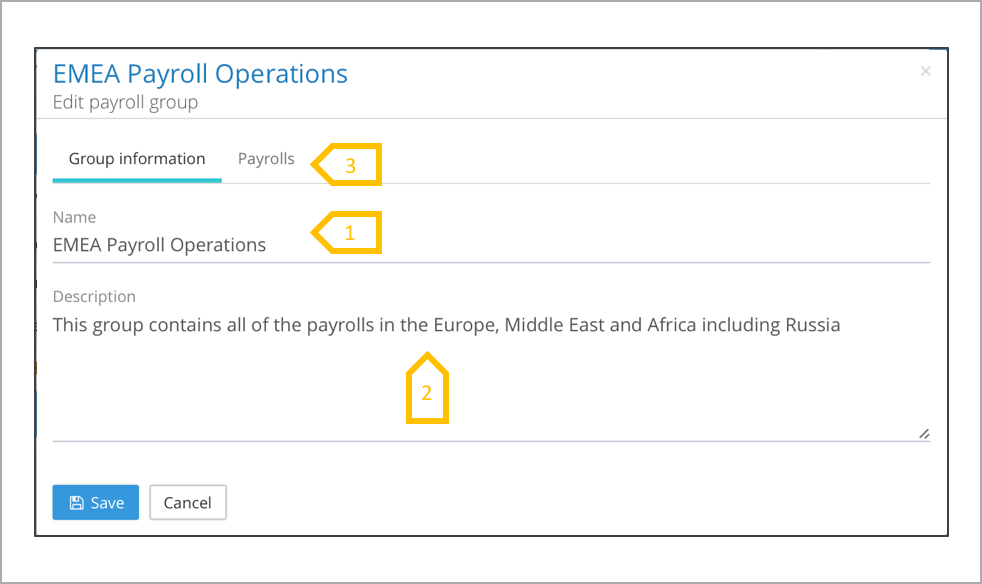
- Give the group a name, this has to be unique.
- Give the group a description saying what it is used for.
- Click on payrolls, when creating a new tenancy the payroll creation comes after the payroll groups have been created, this tab is used when a tenancy is live and new payrolls are being added. The payrolls have to be assigned to the group. ●