Lookups
Lookups is an area used to define lists associated with various functions within the system, for example setting the Issue categories, the Note sources or the document types used in document-run configurations. For each look up category, it is a simple list of items. Lookups once created cannot be edited, but they can be set to be inactive. Translations can be added to all lookups.
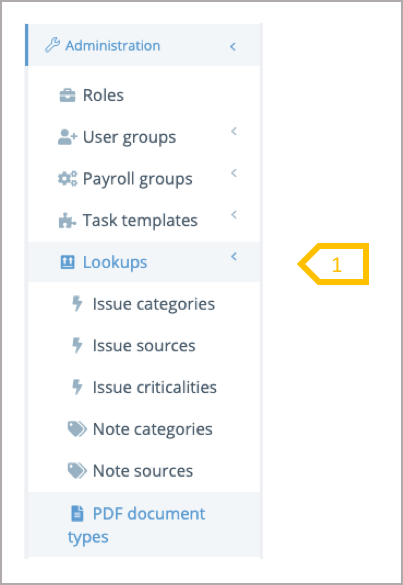
- From the system administrators menu select the lookup
Issue Categories
To learn more from the issues managed in the system, users can select an issue category when they create a new issue. The issues categories are included in the TIRN reports providing an insight on the number of issues raised over time for a given category. Each category has a name, a description (optional) and active or inactive status.
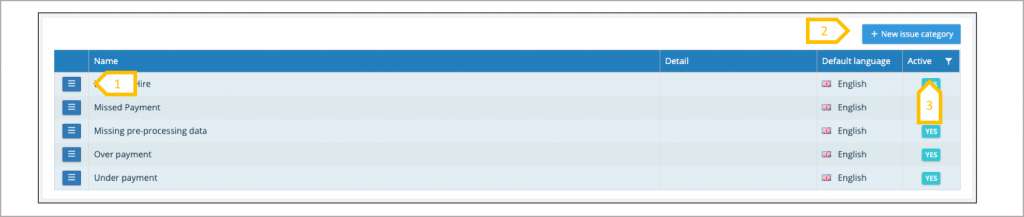
- From the action button view lookup and add translations
- Click to create a new issue category
- View active, inactive or both categories.
Issue Source
To learn more from the issues managed in the system, users can select an issue source when they create a new issue. The issues sources are included in the TIRN reports providing an insight on the number of issues raised over time from a given source. Each source has a name, a description (optional) and active or inactive status.
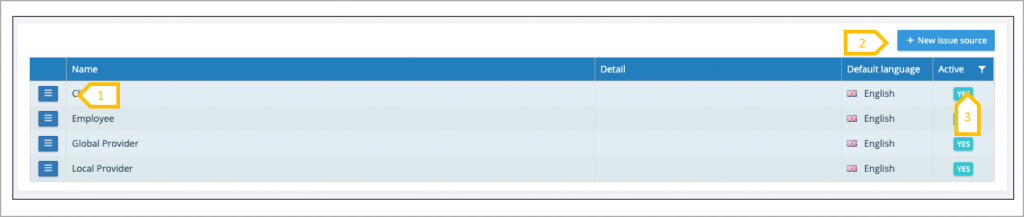
- From the action button view lookup and add translations
- Click to create a new issue source
- View active, inactive or both categories.
Issue Criticalities
To manage issues in order of priority, users can select an issue criticality when they create a new issue. The issues criticalities are included in the TIRN reports providing an insight on the number of issues raised over time for a given criticality. Each criticality has a name, a description (optional) and active or inactive status.
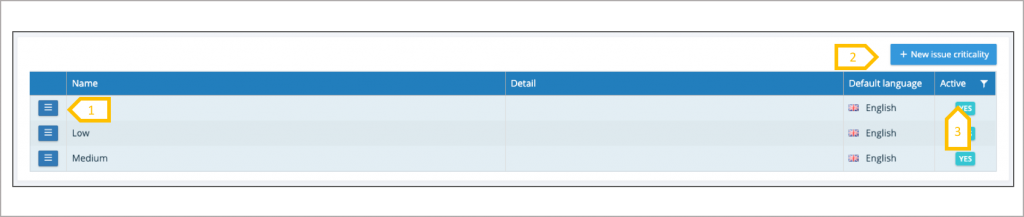
- From the action button view lookup and add translations.
- Click to create a new issue criticality.
- View active, inactive or both categories.
Note Categories
To learn more from the notes record in the system, users can select a note category when they create a new note. The note categories are included in the TIRN reports providing an insight on the number of notes raised over time for a given category. Each category has a name, a description (optional) and active or inactive status.
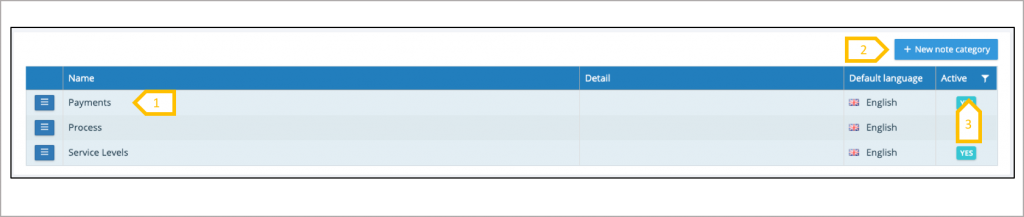
- From the action button view lookup and add translations.
- Click to create a new note category.
- View active, inactive or both categories.
Note Source
To learn more from the notes created in the system, users can select an note source when they create a new note. The note sources are included in the TIRN reports providing an insight on the number of notes raised over time from a given source. Each source has a name, a description (optional) and active or inactive status.
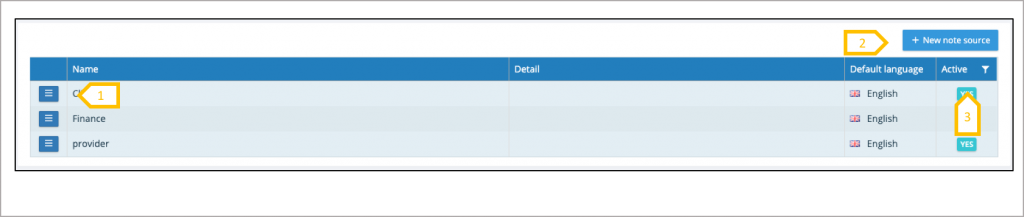
- From the action button view lookup and add translations.
- Click to create a new note source.
- View active, inactive or both categories.
PDF Document Types
Before other documents types can be uploaded, a list of document types have to be produced. Select Administration → Lookups → Document Types. (Tenancy Administration privileges will be required). Document type is similar to other lookups, select ‘+ new document type’ to add a new type. Translations can be added to a document type and document types can be set to inactive so they cannot be selected in future ‘Initiate document runs’. The employee will continue to see and access any historic documents uploaded with the inactive document type.
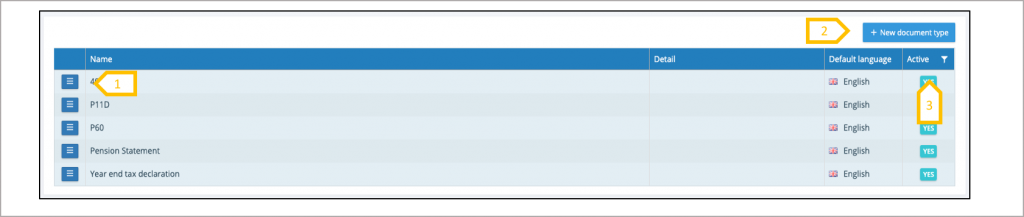
- From the action button view lookup and add translations.
- Click to create a new PDF Document type.
- View active, inactive or both categories.