Reports
The system supports two groups of reports, multi-payroll and multi-period reports which are created from the Reports on the main menu, and payroll specific reports which are created from the payroll menu. From the main menu reports, there are two types a TIR report and a transaction report.
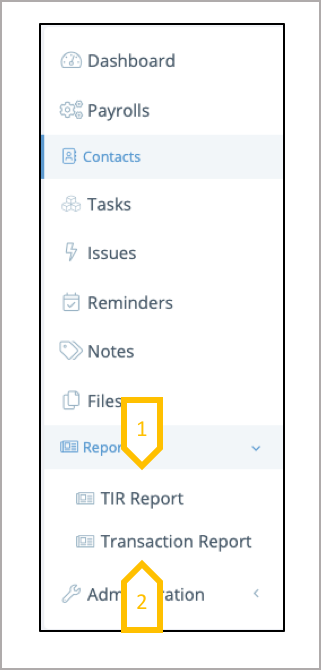
- A TIR report provides the a list of all the tasks, issues and reminders completed, detailing when it was closed, by who and when. Providing governance data on the overall delivery of the payrolls.
- A transaction report is a list of every transaction for every pay period for a group of payrolls. Detailing the pay element value in local currency and in a reporting currency. Pay elements are assigned to pay element sub-groups and groups.
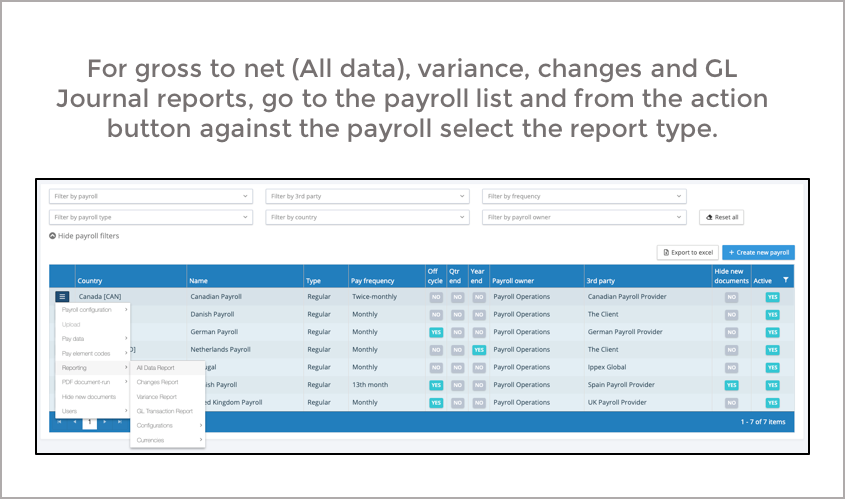
Transaction Report
A transaction report is a multi-payroll and multi-pay period report, found on the main menu under reports. A transaction report contains one row of data for each transaction, reporting transactions for every employee on every payroll and pay period. As a result, a report can have many lines if executed over a large number of payrolls for an extended time period. All reports are processed as a background service, to preserve system responsiveness for other users.
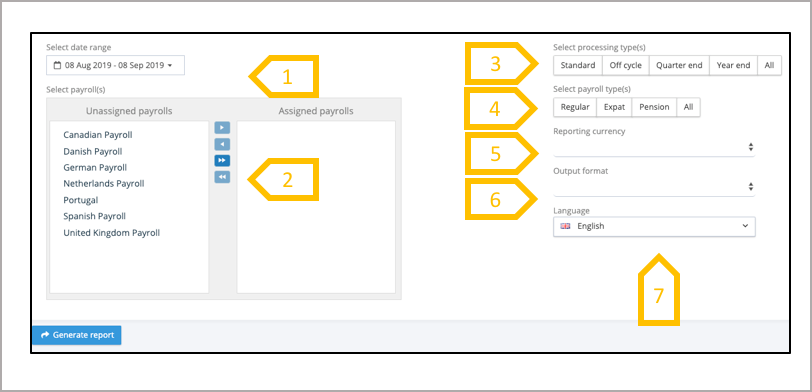
- Date range – any pay period where the pay date falls within the selected date range will be included in the report.
- Select the payrolls to be included in the report.
- Processing types – Add the processing types to be included in the report.
- Payroll types to be included in the report.
- Select the reporting currency.
- Output format – Excel or CSV.
- Reporting language – IPPEX Cloud will always report in the default language. If an alternative language is chosen, only those pay elements and pay element groups with the appropriate translations loaded will be reported with their translations, if no translation is available then the default language label will be reported.
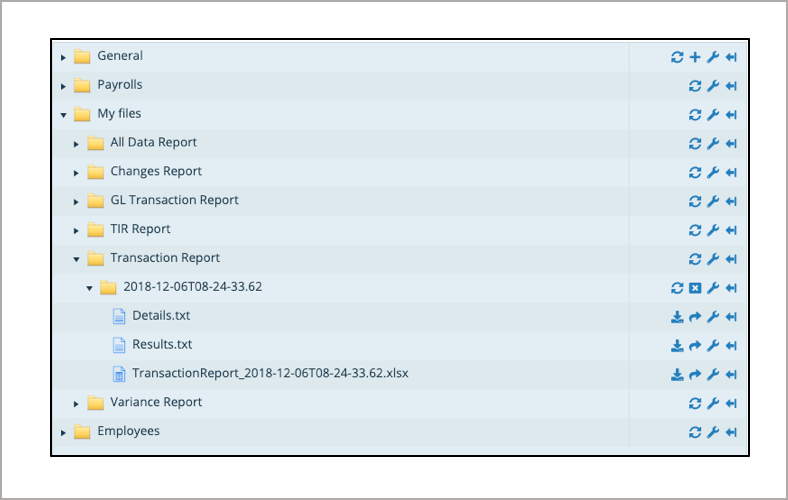
When selecting generate report, the application produces the report as a background process and the output will be saved to your My Files folders. The report will include the following data with on one row per transactions.
- Tenancy ID
- Payroll Name
- Pay Period
- Employee number
- First Name
- Last Name
- Pay Element
- Value in payroll currency
- Exchange Rate
- Value in reporting currency
- Org Unit values (one column per enabled org unit)
- Pay Element Group
- Pay Element Sub-group
- Payment type
TIR Report
A transaction report is a multi-payroll and multi-pay period report, found on the main menu under reports. A transaction report contains one row of data for each transaction, reporting transactions for every employee on every payroll and pay period. As a result, a report can have many lines if executed over a large number of payrolls for an extended time period. All reports are processed as a background service, to preserve system responsiveness for other users.
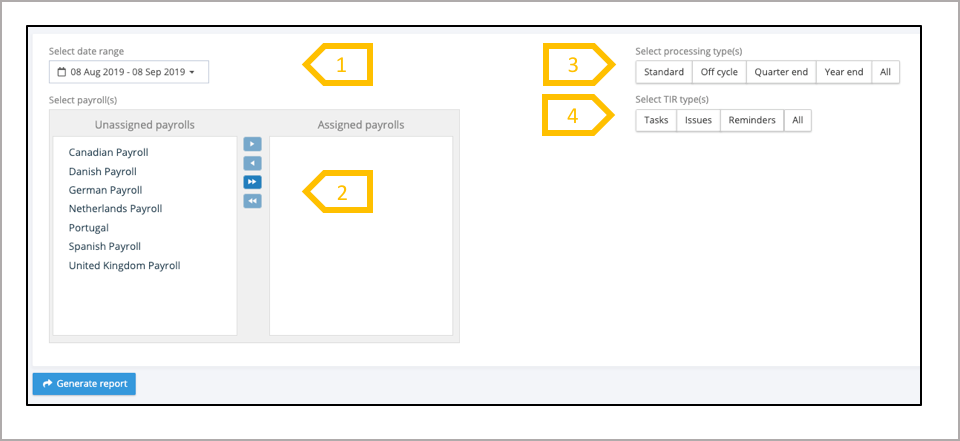
- Date range – any pay period where the pay date falls within the selected date range will be included in the report.
- Select the payrolls to be included in the report.
- Processing types – Add the processing types to be included in the report.
- Add Tasks, Issues and/or Reminders into the report
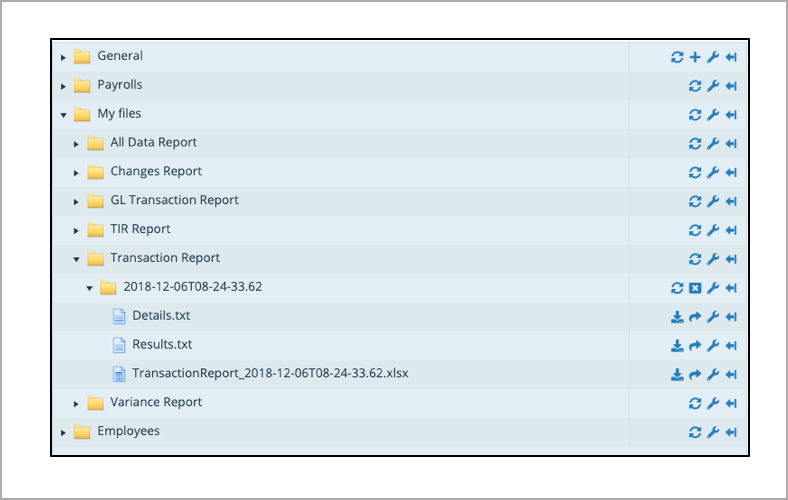
When selecting generate report, the application produces the report as a background process and the output will be saved to your My Files folders. The report will include the following data with on one row per closed TIR.
- Name
- Payroll owner
- TIR Owner
- Due Date
- Completed by
- Calendar Month
- Year
- Frequency
- Payroll Type
- Processing type
- Assignee
- Category / Source / Criticality