PDF Document-run configuration
PDF Document-run configurations have two purposes, they contain the code to analyse documents to extract the document keys which are used to match to employees and to tell the IPPEX Cloud application what type of document they are. There are two types of documents, Payslips and Other documents. Payslip configurations are broken down to one of three types, 1 page, 2 page or 3 page (number of pages within a payslip). Other documents are broken down by document types, any number of document types can be defined these are set-up using Lookups (Tenancy Admin function).
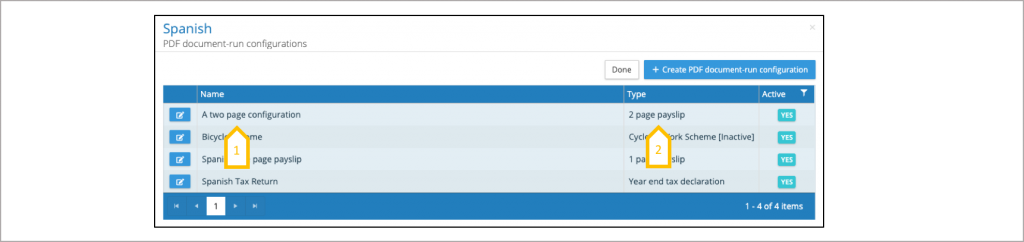
- Name of the PDF document configuration.
- Page slip type (1, 2 or 3 page) or other document type.
The application will hold any number of configurations for each payslip type or other document type, only one configuration can be active at given point in time. The other document type will be shown against the document when viewed by an employee, so it has to be meaningful to an employee, e.g. UK P60 is the annual tax declaration. If a document type has been set as inactive in the Lookup table, the configuration using that document type will be displayed but cannot be actioned see Cycle to Work Scheme in the diagram below. Click on the active file to display active, inactive or both inactive and active configurations.
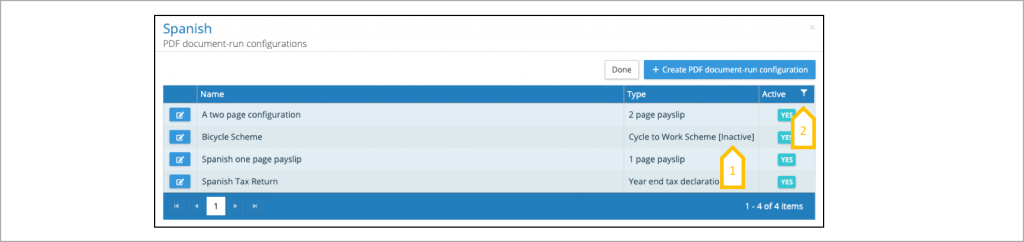
- Inactive document type (see Lookups PDF Document Types).
- Active/Inactive Filter.
The application will store any number of inactive configurations, to change the status of a configuration from inactive to active, click in the action button next to the configuration and change the status to active. When saving the change the application will present a warning, explaining if you save the configuration the existing active configuration will be changed to inactive. Similarly, if you are creating a new configuration for a document type that has an existing active configuration, the system will present a warning, explaining if you save the new configuration the existing active configuration will be changed to inactive.
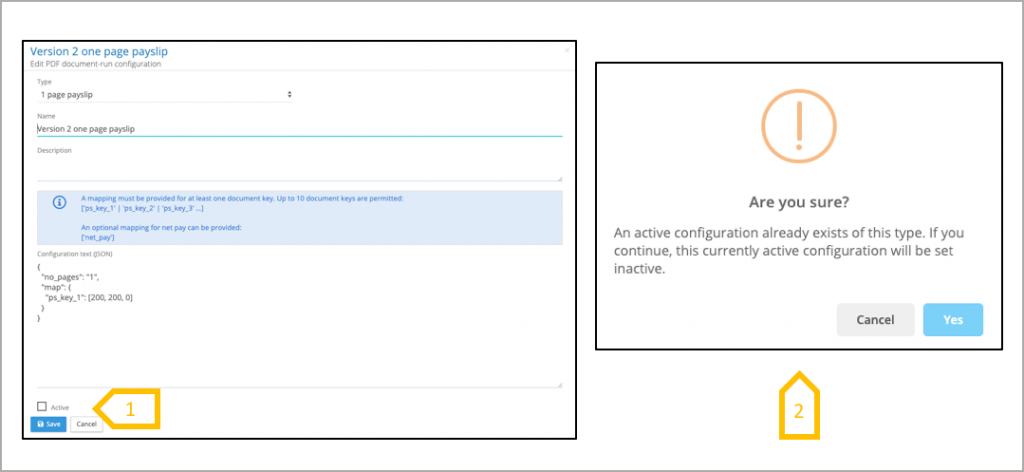
- Click active checkbox to change the status of a configuration from inactive to active.
- Warning will appear when changing a configuration from inactive to active, when there is an existing active configuration for that type.
PDF Document-run Configuration – New or Edit
IPPEX will work with our clients to create the PDF Document-run configuration, each document type has to be analysed to locate the document keys required to match the employee to the document.
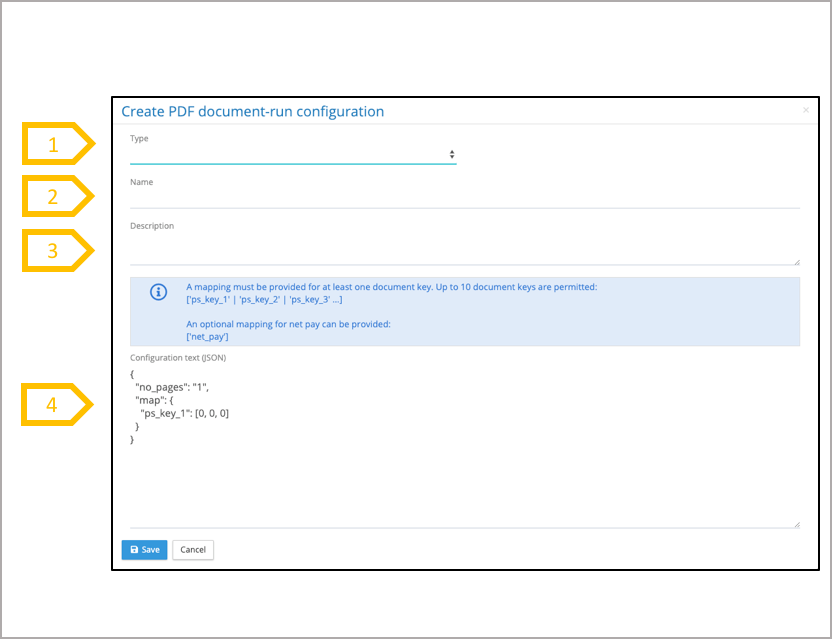
- Select a type 1,2 or 3 payslip or other document.
- A configuration is given a name.
- Description (optional).
- The Jason Code, tells the system how pages per document per employee, how many pages at the beginning of the file to be ignored, the location of the document key data fields in the document. IPPEX will work with our clients to establish the best employee identifiers based on the location and accessibility of the data in the document. The Jason code is also used to extract the net pay information from the payslip.