IPPEX Cloud V 2.10.0 Release Notes

Introduction
Version 2.10.0 consists of various new features including the introduction of new string tokens for both employee first/last name and date of birth. 2.10.0 also introduces new format modifiers for dates to allow for flexibility in report outputs. We have also introduced a new ‘dormant payrolls’ setting which will allow payrolls to be removed from the dashboard without making it inactive.
In addition to the above, we have implemented various PECI and security enhancements.
String Tokens
We have added new string tokens to cover new fields:
- Employee First/Last Name
- Employee Date of Birth (For Payment Files Only)
Employee First/Last Name:
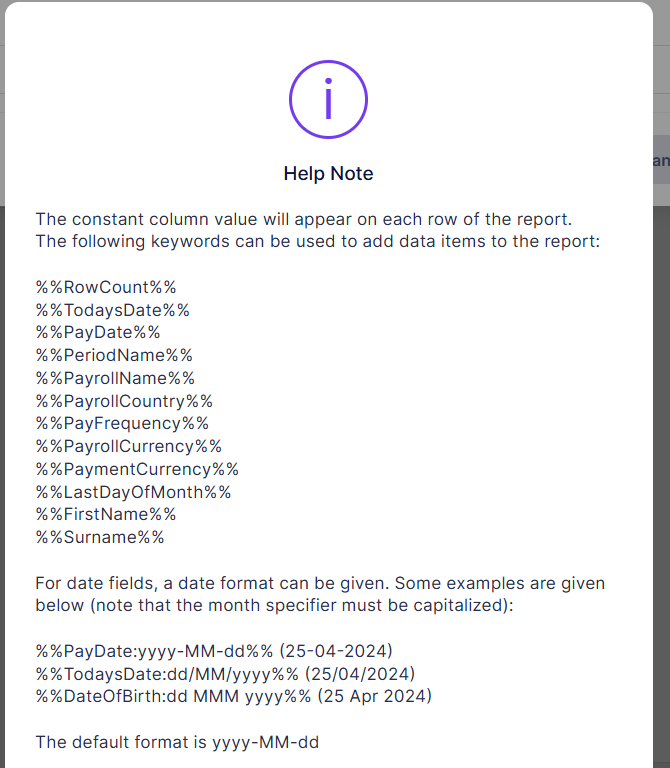
We have implemented this as 2 new string tokens: %%FirstName%% and %%Surname%%
These can then both be used, and formatted within the constant column text
With GL Journal, the FirstName/Surname string tokens will be empty if Employee Name has not been selected in the layout.
(this is a requirement, due to the fact that if this column isn’t selected, the rows will not correspond to an employee)
The new tokens are available on all configurable reports, and the GL Journal
The string token notes have been updated to reflect this.
Employee Date of Birth:
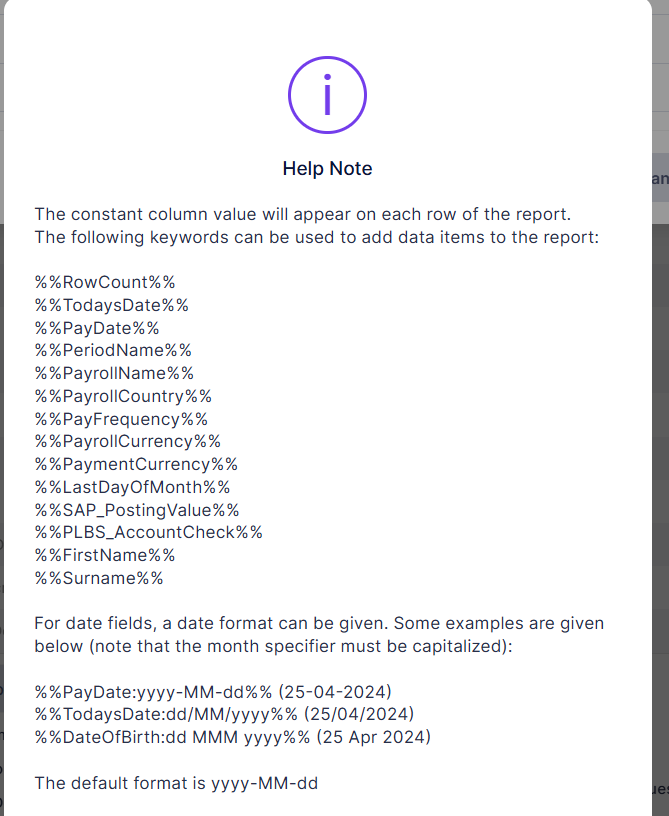
A new string token %%DateOfBirth%% has been added to the payments report
It can be used in the InstructionIdentifier and Remittance fields
The DateOfBirth string token will be empty for 3rdParty/Tenancy payment files
For both Employee Name(s) and Date of Birth, the string token notes have been updated to reflect the new additions:
Dormant Payrolls
Payrolls can now be allowed to be set to Dormant allowing them to be removed from the Dashboard with tasks etc, but still have access to data / files and ESSP etc… (allows billing to continue until deactivated, but keeps dashboard clean)
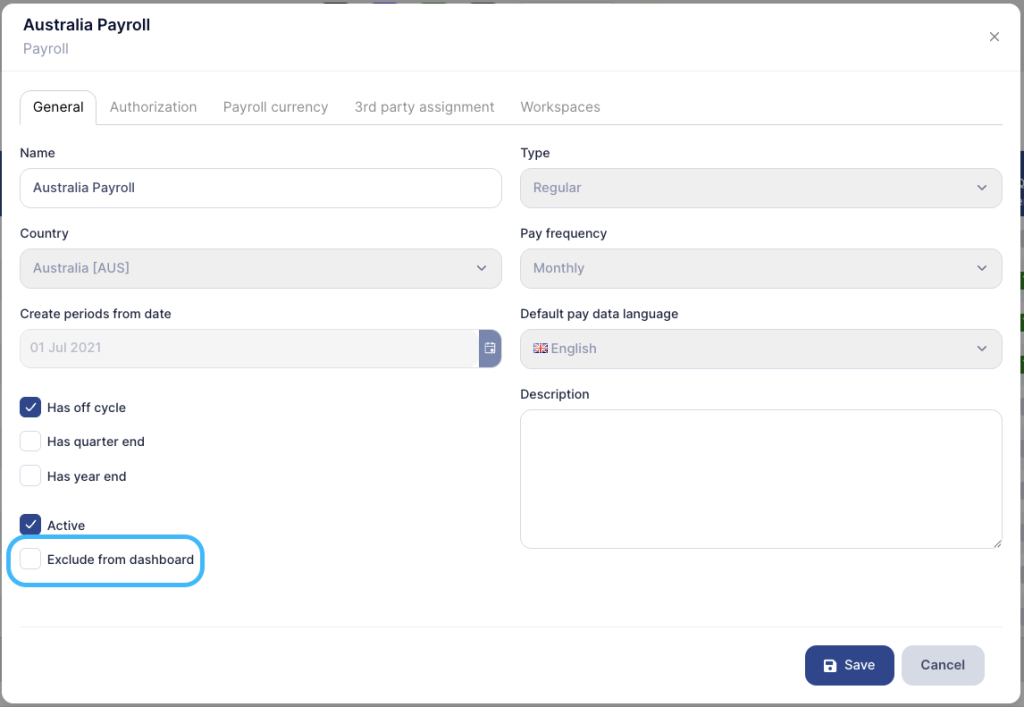
Dormant checkbox is located in in payroll configuration, and only affects the dashboard.
Do hide a payroll from the dashboard, go to Payroll Configuration > Edit Payroll. Once there on the menu select the option “Exclude from dashboard”:
Related Person
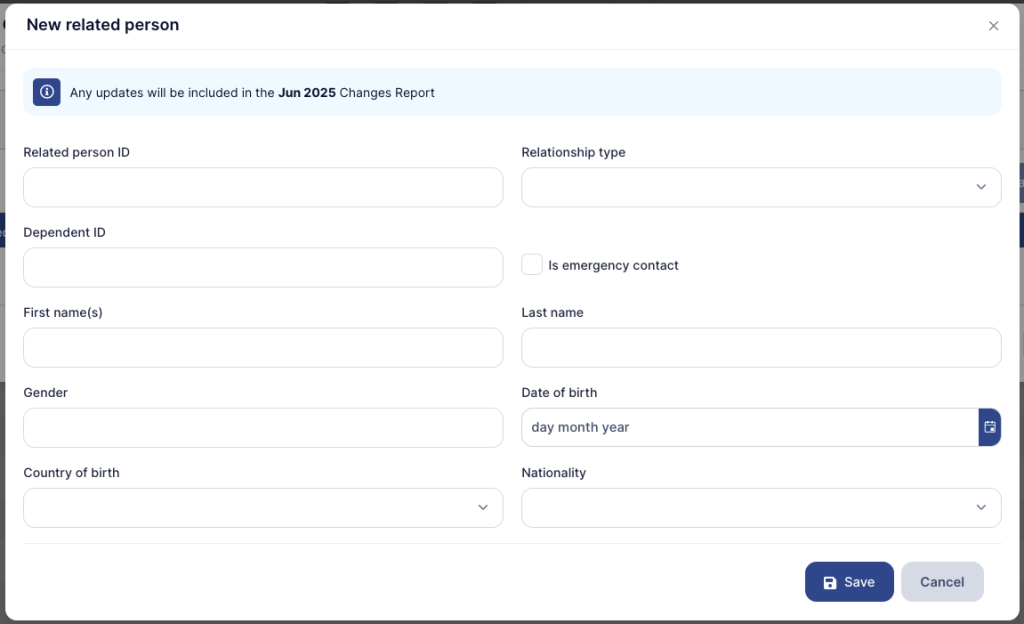
2.10.0 introduces the ability to store Related Persons against an employee.
To enable this, go to Administration > Lookups > Relationship Types
Here you can create new Relationship Types, both via the UI and Import/Export templates (similar to creating other categories in IPPEX Cloud).
Once Relationship Types have been added, these can now be applied to employee profiles, accessible via the employee data section of IPPEX Cloud:
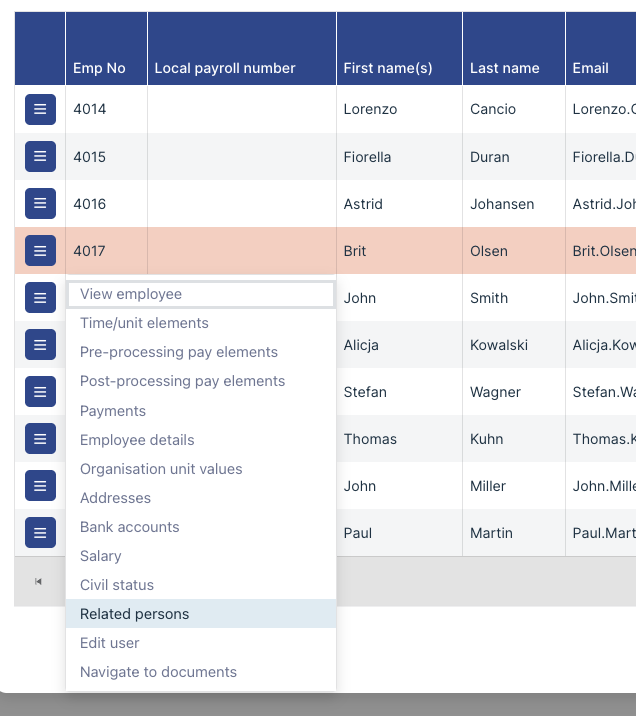
Here you can store one or multiple related persons with the following details:
- Related person ID
- Relationship type
- Dependent ID
- Is emergency contact (Yes/No)
- First name(s)
- Last name
- Gender
- Date of Birth
- Country of Birth
- Nationality