IPPEX Cloud V 2.05.0 Release Notes

Introduction
Version 2.5.0 includes a myriad of new enhancements to IPPEX Cloud’s PECI Capabilities. Additionally, there are enhancements to Workspaces, the addition of new available currencies, and a new tenancy level report. There is also the introduction of an employee ‘soft delete’ feature. Finally, 2.5.0 introduces an ‘FTP Copy From’ function for streamlined integration capabilities.
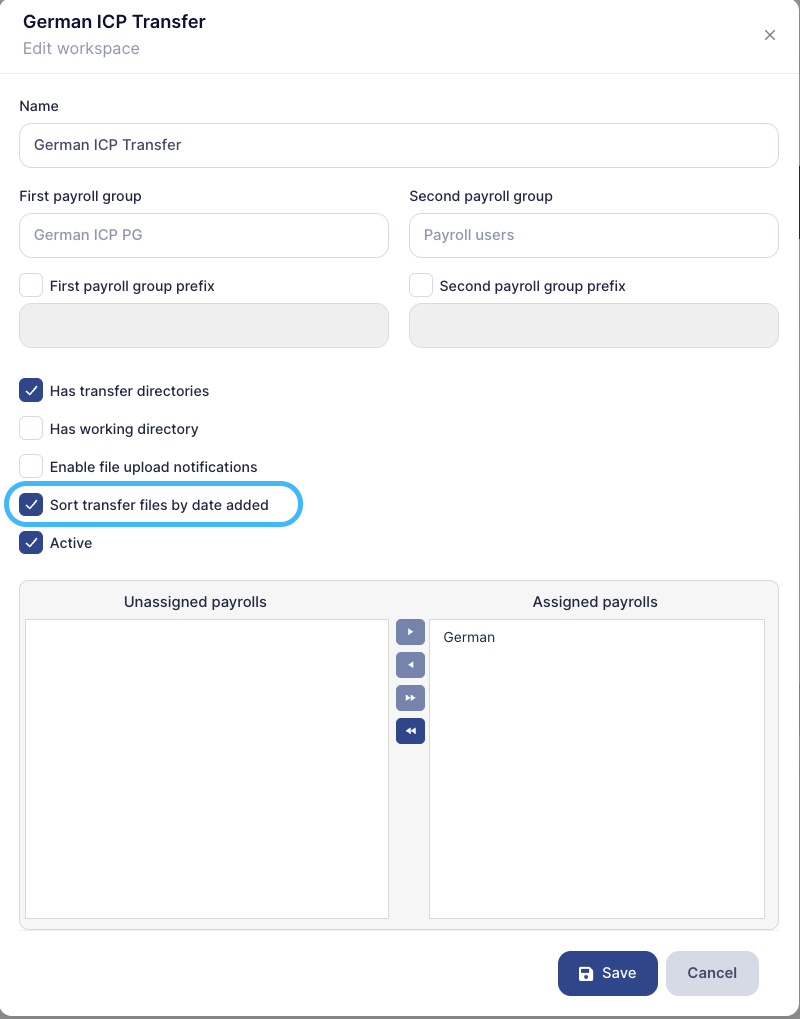
Workspaces – Order By Date Added
Workspaces now have the ability to have their files ordered by date added rather than alphabetically and/or file type. In order to enable this option, go to Administration > Workspaces. Select the workspace you would like to enable the option and select the ‘Sort transfer files by date added’ Option:
New Available Currencies
The following currencies have now been added as accepted Payroll, Payment, Funding, Rate card, and Invoicing Currencies:
- Guyanese Dollar [GYD]
- Papua New Guinea Kina [PGK]
- Surinamese Dollar [SRD]
New Tenancy Level Report
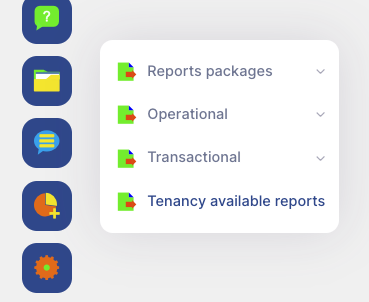
There has been a new tenancy level report added that will allow you to see all available configurations against all accessible payrolls with the click of a button. To do this, select the ‘Reports’ button followed by ‘Tenancy Available Reports’:
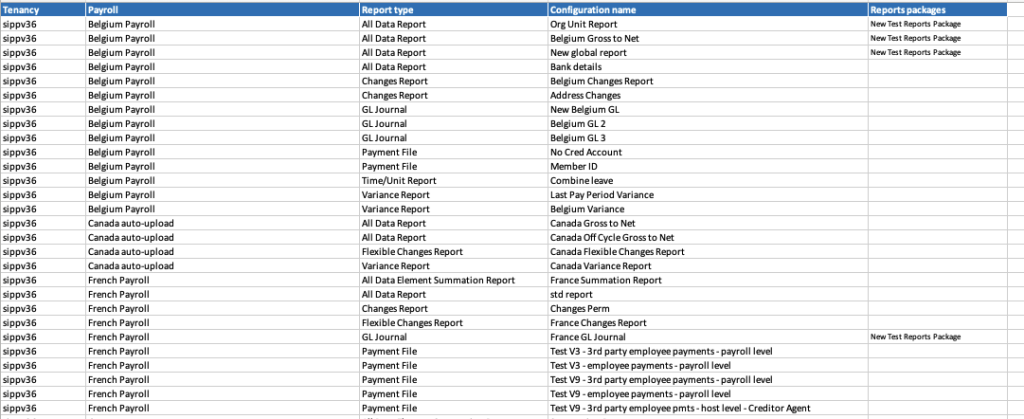
An excel report will be generated which will contain the following data points:
- Tenancy
- Payroll
- Report Type
- Configuration Name
- Reports Packages (if applicable)
FTP Copy From Function
2.5.0 introduces a ‘Copy From’ function for FTP inbound and outbound configurations. This allows for streamlined rollouts for integrated clients utilising the same FTP Server for multiple configurations. To facilitate, simply select the existing FTP configuration you would like to copy from the ‘Copy configuration from…’ drop down list in the FTP configurations section of IPPEX Cloud:
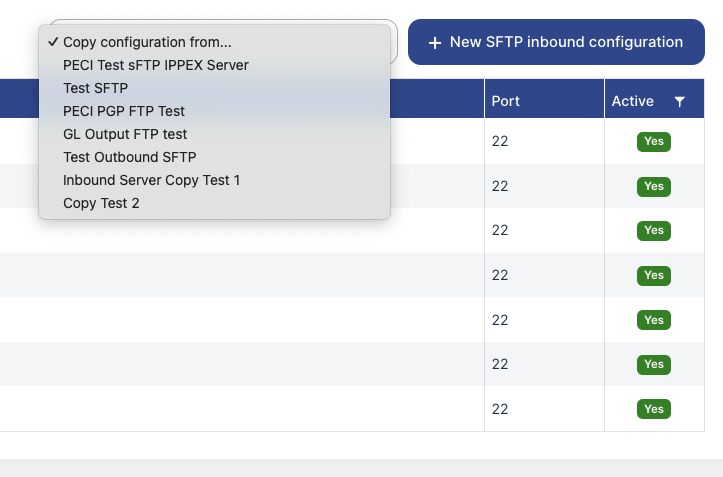
Once the configuration has been selected, the copied configuration menu will appear, allowing you to make any necessary changes before saving down.
Employee Soft Delete Feature
The employee delete action will now soft-delete the employee and all associated data. There will be no restrictions on whether or not an employee can be deleted, and the functionality will only be available to Tenancy Admins.
A soft-delete means that the employee will not be accessible on IC but will still continue to exist within the database. The Employees page will provide a new filter, allowing visibility of deleted employees. The only action available for a deleted employee will be to view the employee record read-only.
If the employee has a bound User, this will also be soft deleted as long as the User is not a system user and not bound to any other employees.
When an employee has been soft-deleted, it will be possible to reuse the EmpNo.