IPPEX Cloud V 1.44 Release Notes

Introduction
Version 1.44 focuses on the use of tenancy level payments and their application within IPPEX Cloud. It also adds enhancements to the Recent Actions tool, SFTP Capabilities, and GL Org Units. Finally the release includes the introduction of User configurable file upload management.
Tenancy Payments
The Tenancy Payments functionality allows for the facilitation of payment files/payments at the tenancy level rather than at a payroll level when the payments are not payroll specific.
This can be accessed on the main IPPEX Cloud menu in the ‘Tenancy Payments’ section.
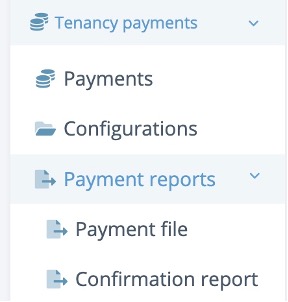
Within this tab there are a number of options available:
- Payments: This shows a dashboard of all tenancy level payments for the year and includes the tenancy level payments values from the pay period. The dashboard also tracks when payments have been successfully run and sent to the creditor in question (similar to the functionality of 3rd Party Payments)
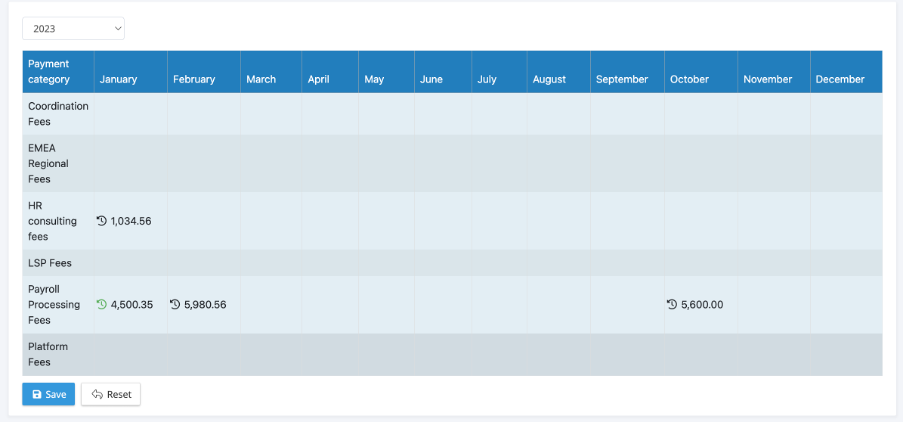
- Configurations: This is where configurations are created for payment files at the tenancy level.
- Payment Reports has two functionalities:
- Payment File: This is where tenancy payment files are generated
- Confirmation Report: This is where you can run a confirmation report out of IPPEX for Tenancy Payment files generated
SFTP Enhancements
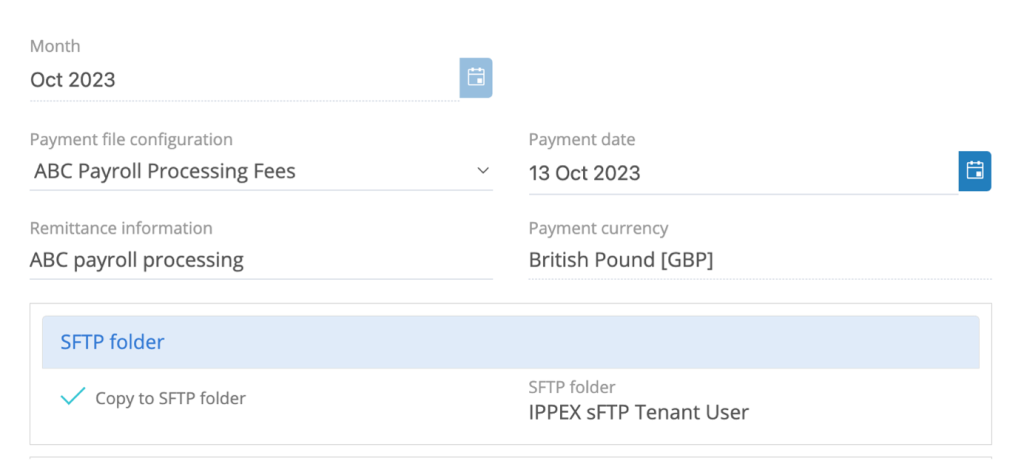
IPPEX Cloud has expanded the file storage to include Tenancy SFTP folders. When setting up Tenancy Payment and Payment File Configurations you have the option to copy to an SFTP folder when running the files similar to Employee and 3rd Party Payment Files.
When running a payment file, you have the option to check the ‘Copy to SFTP Folder Box’:
When the payment file is run, it will also appear in the SFTP folder specified. From here you can select to perform the SFTP Transfer:
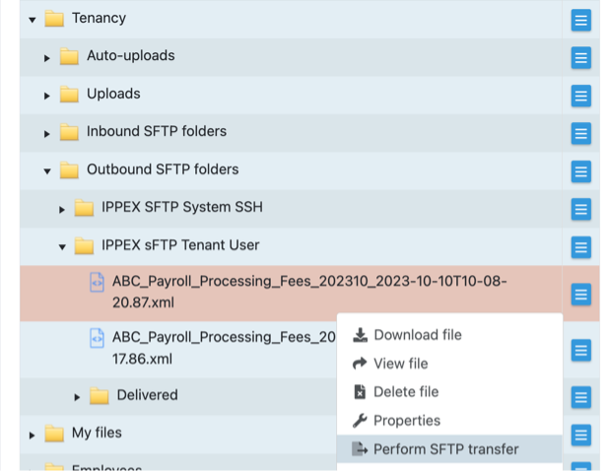
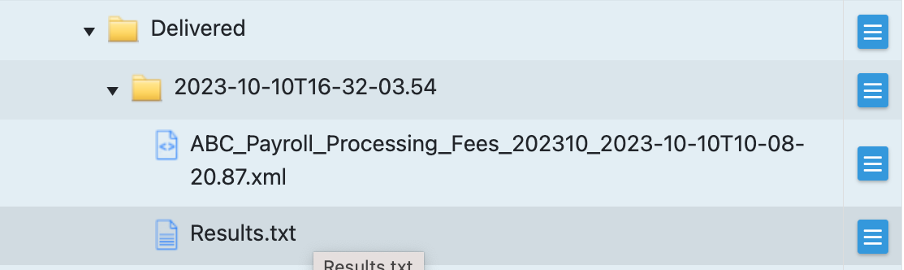
Once the transfer is performed it will appear in the delivered folder with a results file:
Recent Actions
The Recent Actions button has been enhanced to also be included with its own button on the header of IPPEX Cloud (next to the ‘Employee Search’ and ‘Help’ Buttons.

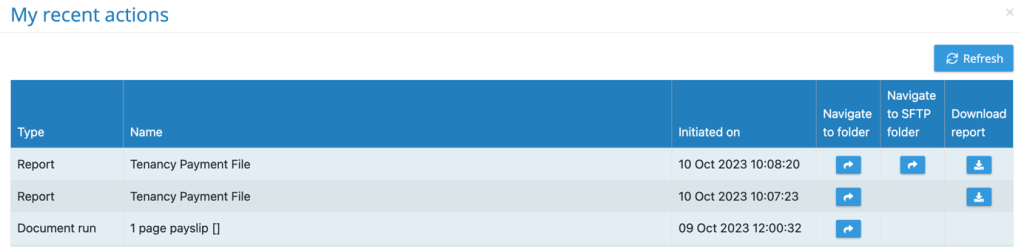
Recent actions will now also include PDF Document Runs you have performed within the list of recent actions:
GL Org Units
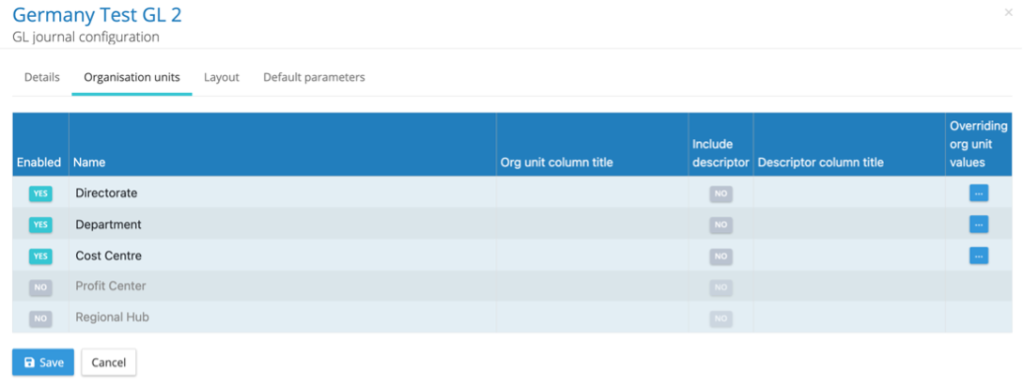
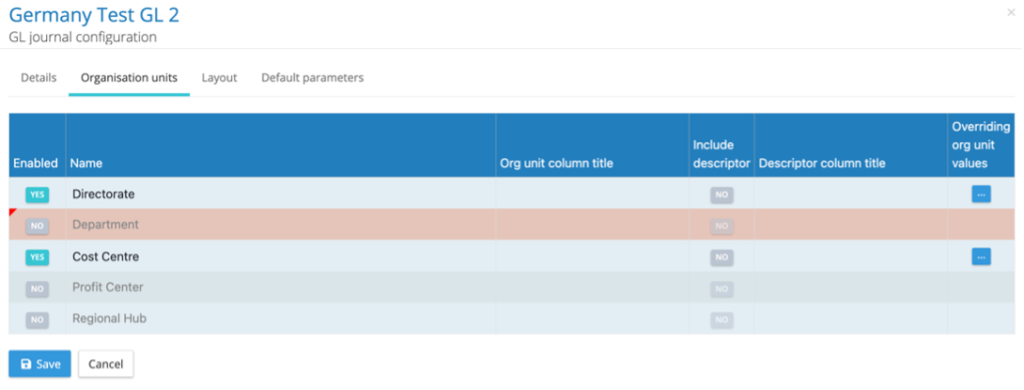
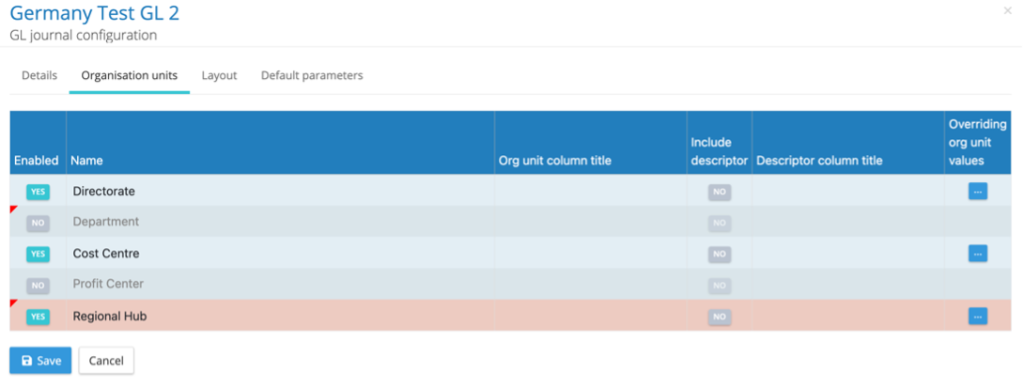
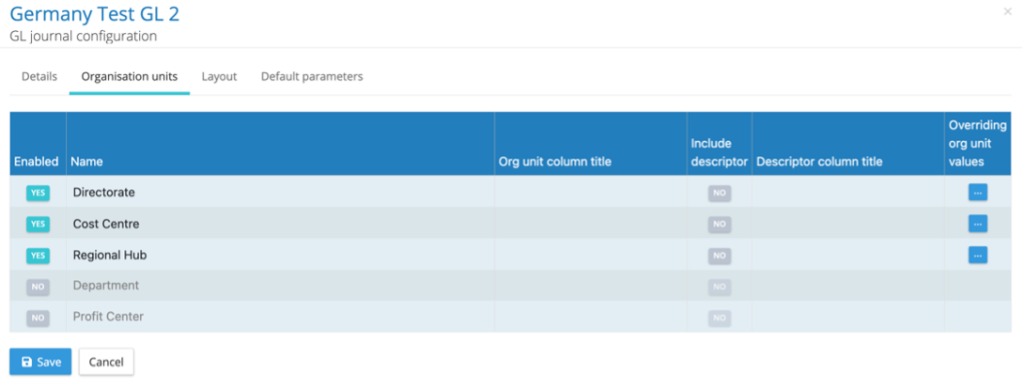
GL Org Units have now been enhanced to automatically shift up enabled org units and shift down disabled org units to ensure enabled org units are always appearing at the top of the configuration and disabled on the bottom (As shown in the images below). There has also been an enhancement to the cursor to visually indicate the order of columns in the GL configurations can be changed manually.