IPPEX Cloud V 1.39 Release Notes

Introduction
A major focus of Version 1.39 is on extending the upload capability, increasing the number of rows of data that can be presented to the system in a single file. In addition, IPPEX are introducing a new payroll mapping tool based on optical character recognition, delivering a choice of tools to cater for a wider variety of PDF documents.
Large data file uploads
IPPEX has increase the row count for tabular uploads to 5000 rows and list uploads to 20,000. As part of this limit increase, the upload mechanism has been amended, so that the system processes blocks of 500 rows at a time, improving the resource allocation across other users performing uploads.
As part of this change, if there are more than 1000 new hires in a single upload file, the system will not show the ‘select employee’ list of new hires, it will automatically add the new hires.
PDF Document Upload
IPPEX have extended the PDF document upload mechanism to provide a new analyser that is based on optical character recognition. Over time IPPEX will migrate some the PDF document processing from the original analyser to the new one. The new capability broadens the system’s ability to process more challenge PDF documents.
GL Journal Combined Credit and Debit column reverse polarity
When producing a GL Journal with a combined debit and credit column, the debit values are positive values and the credit values are negative, resulting in a zero balance. Some accounting systems cannot accept negative credit values, a new check box has been added to GL configuration in the layout tab to reverse the polarity of the credit values.
Pipe and Comma delimited upload files
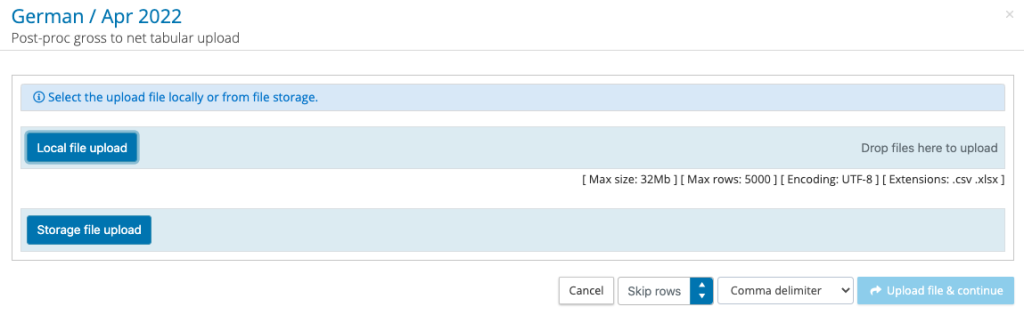
The upload mechanism has been extended to cater for pipe separated value files. When a pipe delimited .CSV file is presented for upload, there an option to select comma or pipe, the default option is a comma delimitator.
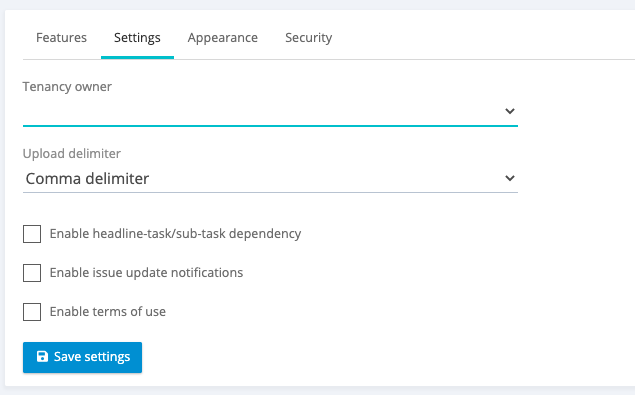
A tenancy setting has been added to set for all auto-upload types to accept comma or pipe delimiter, the default is comma.