Summation Report
All Data Element Summation Report
This is very similar to the All Data report, providing the ability to summate pre-processing period pay elements and post processing pay elements over multiple pay periods. In addition, supplementary periods such as off-cycles can be summated along with the main pay period data. From the report kick-off, the user has the ability to summate the pay data for a specific organisation unit.
To run a report select payrolls -> reports -> configurations -> All Data Element Summation Report.
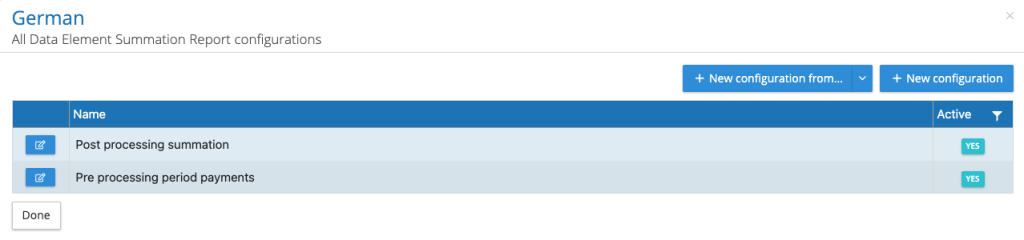
Create a new report or create a report from an existing all data report, this will adopt the column assignments from the All Data report.
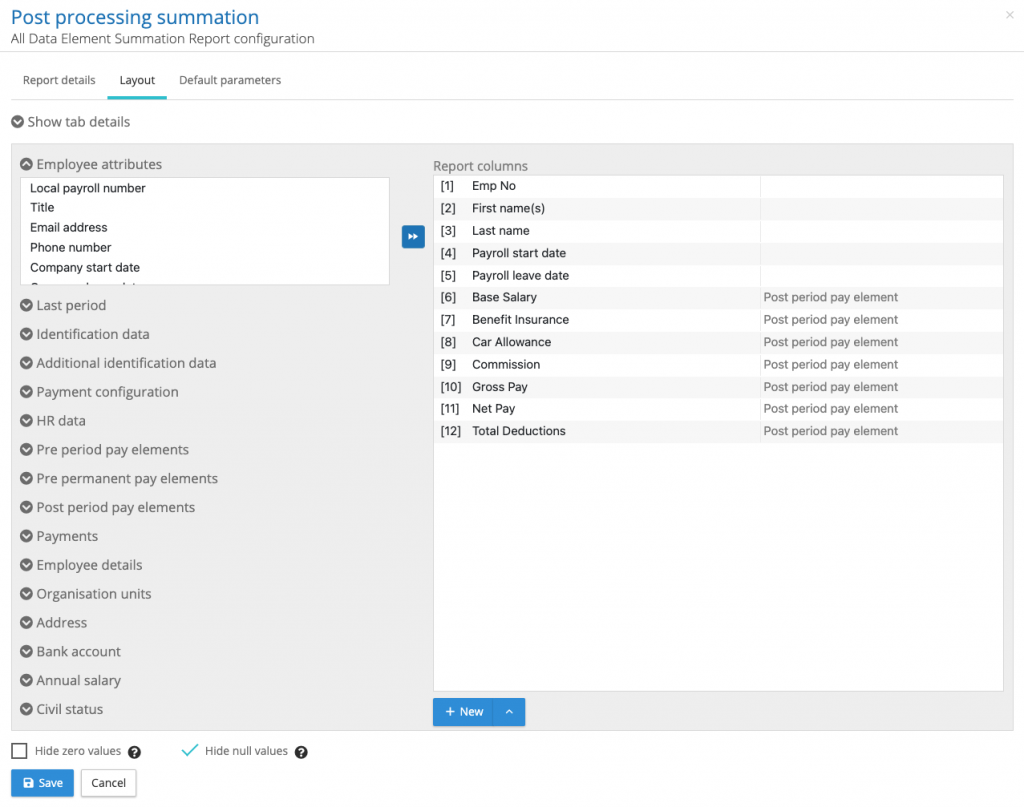
Select the employee data and pay elements required for the report. Give the report a name (details tab) and set the default parameters so the report can be included in a reports package.
All Data Element Summation Report Kick-off
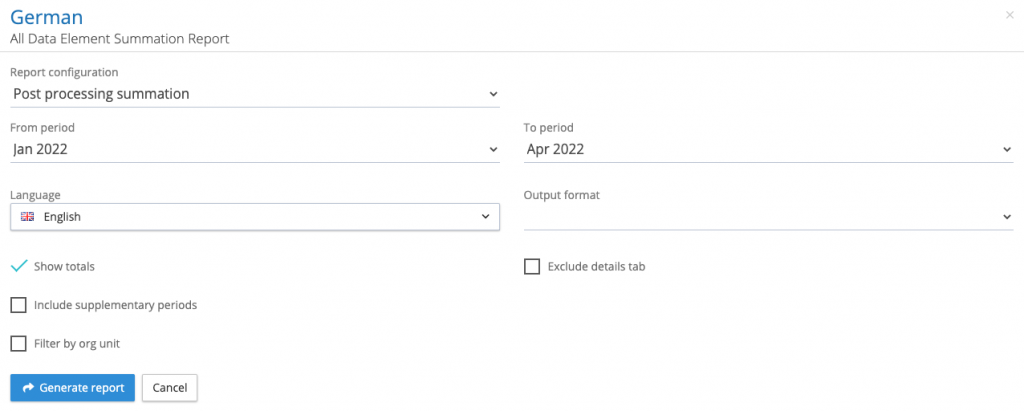
Select from and to pay periods, output format, to include supplementary periods. The report can be included in a reports package. NOTE: the to period has to be post processing locked to be included in the report.
There is a further option to filter by an organisation unit. When selecting a org unit to filter by, only records matching the selected org unit will be included in the report.
For example, if employee ‘1001’ has a car allowance of £100 per month for 5 months and an org unit of ‘Pre-sales’ for three of those months and an org unit of ‘Sales’ for the last two months.
Running the report unfiltered for 5 months will report a total of £500 car allowance.
Running the report for 5 months with an org unit filter of Pre-sales will report total of £300 car allowance.
While running the report for 5 months with an org unit filter of Sales will report total of £200 car allowance.
Create a report from an existing all data report
The fundamental similarity between the Summation Report and the All data Report allows a new summation report to be based on an existing All Data Report.
The configuration stage of creating a new report presents a +New configuration from.. control.
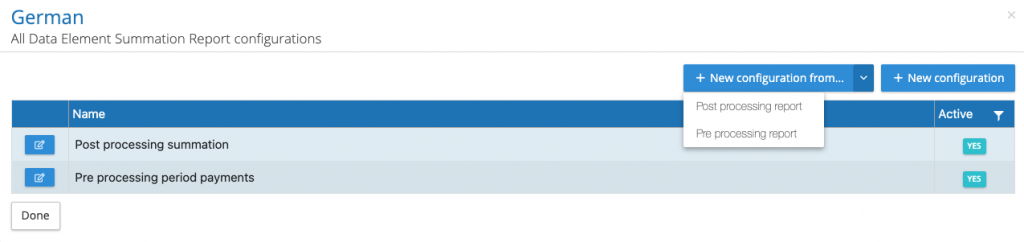
Using this control allows a user to select a previously created All data Report to form the basis of the new Summation Report.