IPPEX Cloud V 1.28 Release Notes

Introduction
Version 1.27 contains extension to the GL Journal reporting framework allowing for the inclusion of fixed organisation unit values, overriding the employee organisation unit values when generating a GL Journal.
In addition, there are a number of productivity enhancements, such as the uploading of employee details and pay elements adding pre-processing pay elements to the combined upload function.
Fixed GL journal organisation units
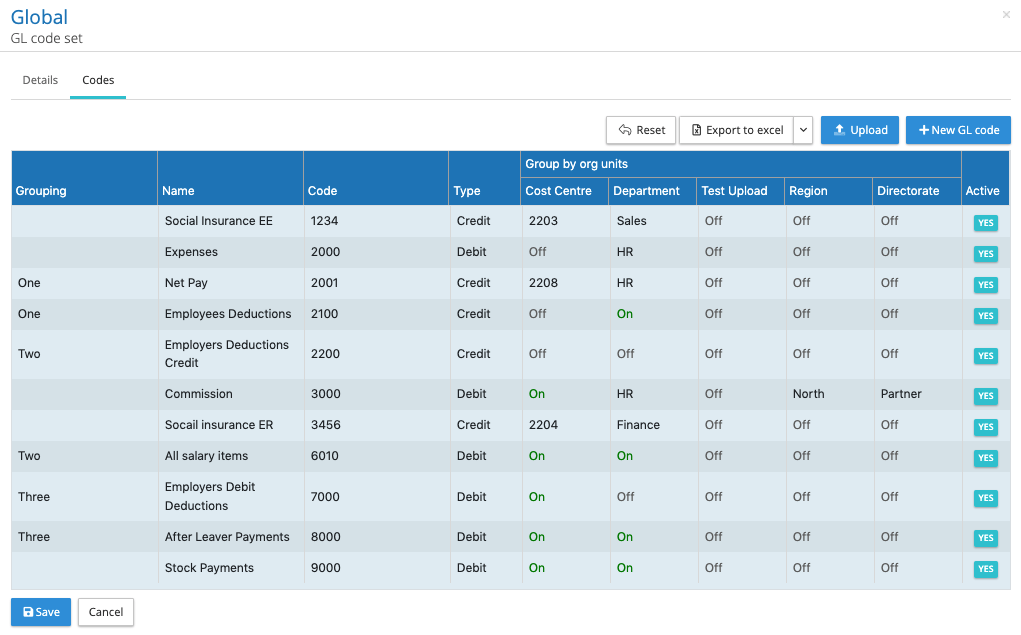
Where GL Journals require a fixed organisation unit value for a given GL Group/Name/Code, the IPPEX system has been extended the GL Code Configuration so that the group by organisation unit offers one of three settings:
- OFF – No organisation unit grouping
- ON – Group by organisation unit (the value held against the employee for the chosen pay period)
- Use override value: Select a fix organisation unit value (this will replace the employee value)
For on screen editing of GL codes: Under administration go to GL Code Sets, open the code set and scroll down to the grouping/name/code and under the organisation using heading, there is the choice to select XXXX or a specific fixed code from organisation unit list.
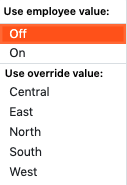
For each grouping/name/code and org unit, the following drop down menu is provided, in this example it is showing five permissible org unit values.
GL Code Set Upload: Export to excel an upload template format file, add new grouping/name/code or amend existing ones, for each organisation unit enter either false, true or the organisation unit value for that entry. Upload the completed template.
No further changes are needed to the pay element groupings or GL Journal Report Configuration, where specified in the GL Code Set the GL Journal report will draw through the organisation unit override.
GL journal end of month pre-defined string / constant column
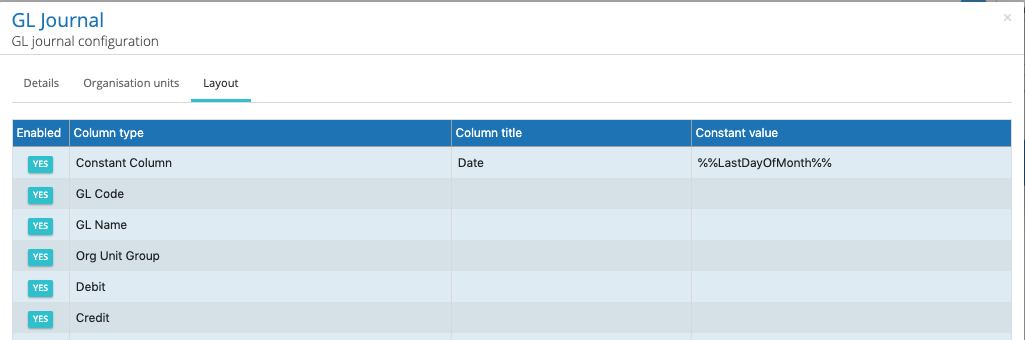
When posting GL Journals into the accounting system, so organisations wish to include the last day of the payroll processing month. A new pre-defined string has been added to the constant column option within the GL Journal report configuration. When selecting the constant column, add a column heading to the constant column and in the value field enter %%LastDayOfMonth%%. When the report is being created the system will determine the month of the pay date, and enter the last day of that month for line item in the GL Journal report.
New reference column selection for flexible changes report
The flexible changes report has been designed to structure the changes data report to be in a format that can be directly uploaded into the local country gross to net systems. IPPEX has enhanced the reporting configurator with a facility to include a specific reference columns located in particular column locations within a tabular report output. Any number of the following reference columns can be selected:
- Employee Number
- Local Payroll Number
- First Name(s)
- Last Name
- Title
- Gender
- Date of Birth
- Social Insurance ID
- Tax ID
- National ID
In the flexible report configurator the adding a reference column is similar to adding a constant column, at the bottom of the report columns area is a +New, select your reference column, this will place the item at the bottom of the list. Move the reference column to the right place in the assigned reporting columns. The reference column will bring through the current value held in the employee record.
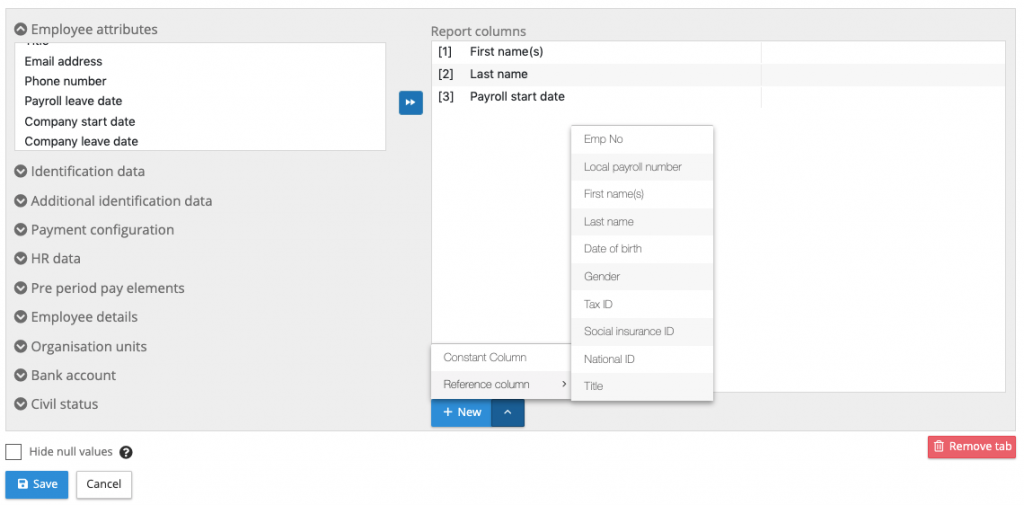
Local payroll number added to the standard changes report reference columns
Employee number, first name(s) and last name were the three reference columns that could be added to a standard changes report, this has been extended to include local payroll number.
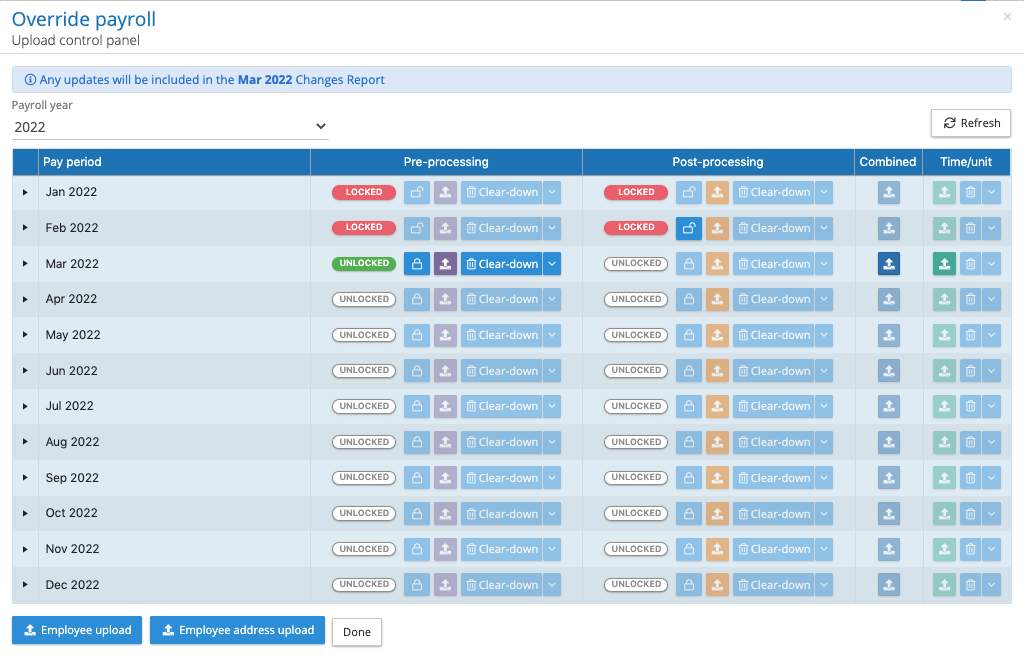
New Colours for the upload control panel
With the recent introduction of the combined upload and time/unit upload, the control panel has many more buttons, to segment the functions different colours have been added to the four different types of uploads.
Employee details, pre and post pay element upload
To reduce the implementation process and pay element mapping during the initial upload process employee details, pre-processing pay elements and post processing pay elements can be imported into a payroll.
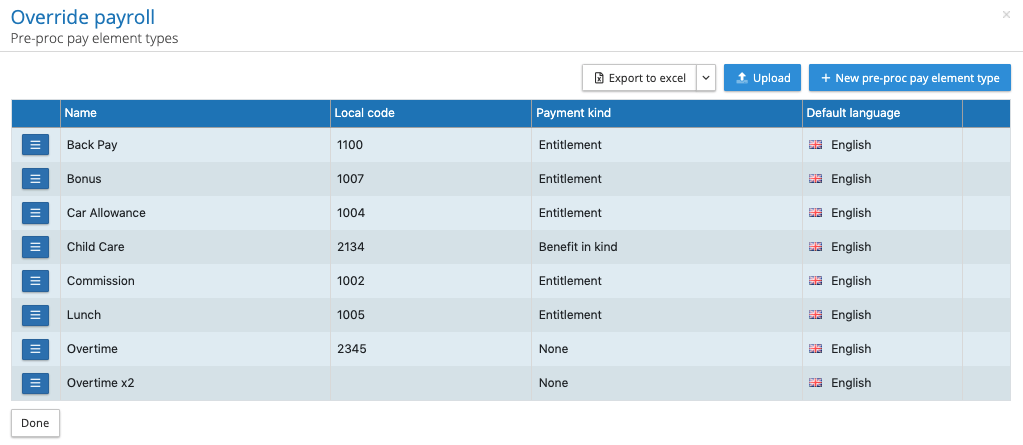
Using the export to Excel click on upload template format to down load the current list of employee details or pay elements. Complete the template and upload the new or amend elements to the system. Local codes can be uploaded for employee details and pre-processing elements, as well as, payment kinds for pre-processing elements.
Combined upload extended to include pre-processing elements
To complete our preparation for automating the data upload processes, the combined upload has been extended to include pre-processing elements. Provided the pre-processing pay period is unlocked organisations can now combine their employee record, employee details, organisation units and pre-processing pay data together into one upload file.
IRQN reports
Under operational reports on the main menu, the IRQ report has been extended to include Notes and to include closed issues and queries. Please all IRQ and Ns are attached to a specific pay period, the reporting data range must include the pay date of the required pay periods to return the associated IRQNs.
BIC and IBAN removal of spaces
The majority of banking organisations will reject payment instructions where an IBAN or BIC codes include spaces. These two fields have now been changed to remove any spacing from any of the codes entered into the system. This ensures any bank data uploaded to the system or entered via the UI removes any spaces.