IPPEX Cloud V 1.26 Release Notes
Introduction
Version 1.26 introduces extends the systems capability in pre-processing with the introduction of a combined upload for employee record, address, bank account, employee details and organisation units. The new upload functionality is another building block towards our planned automated upload functionality.
The combined upload has also improved the way we handle bank account and address effective dates, and the automatic assignment of last pay period.
Another significant addition is the ability to use local payroll number as the upload key for pre-processing and post-processing data uploads.
Combined upload
Combined upload brings together employee record information, address, bank accounts, employee details and organisation units into a single upload for a given pay period. The upload control panel has an additional column, called combined. Data can be uploaded in either pre-processing unlocked or post processing un-locked. If you require the data to appear in the changes report for that pay period, please ensure the pre-processing period is unlocked.
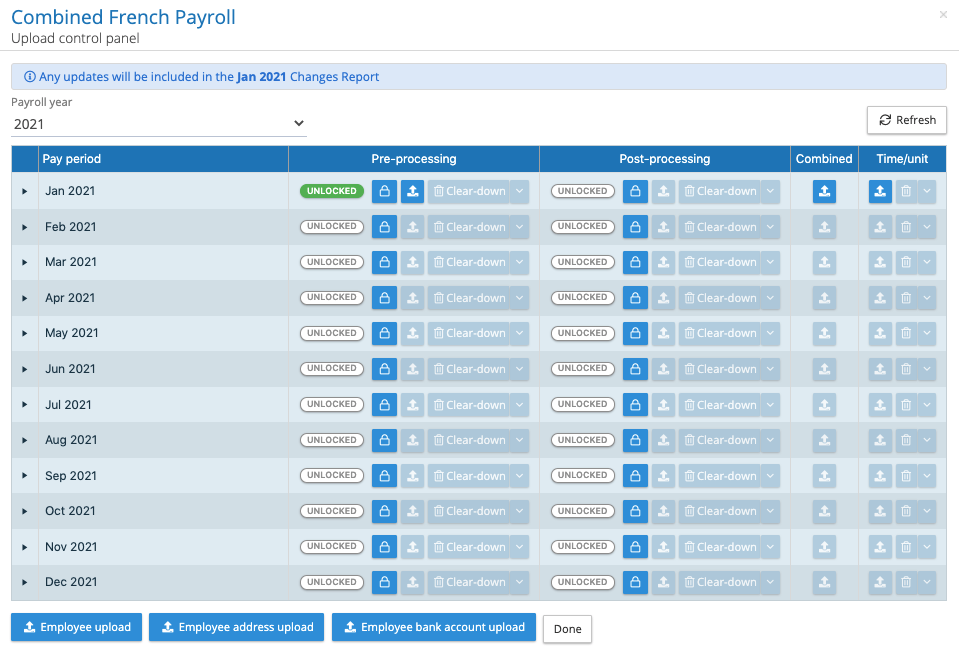
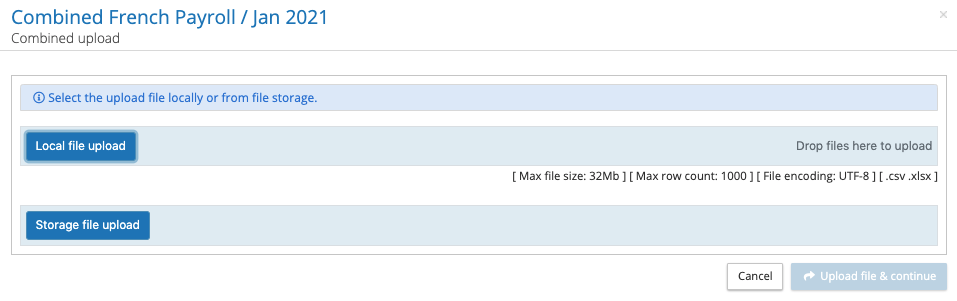
Click on the combined upload button, select your file and upload.
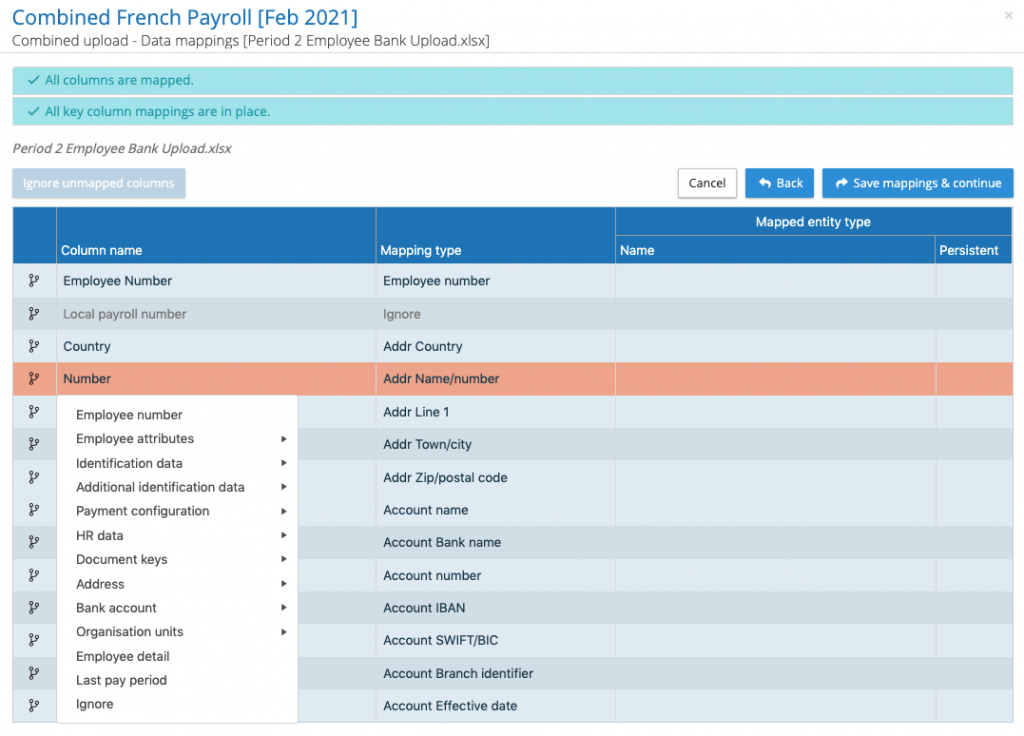
Click on upload file and continue, this will open the mapping screen. Map the headings to the appropriate areas of the system and click on save mappings and continue.
With the mapping complete the system will retrieve all of the employee numbers from the upload file to determine whether there are new employees. It will present a list of new employees.
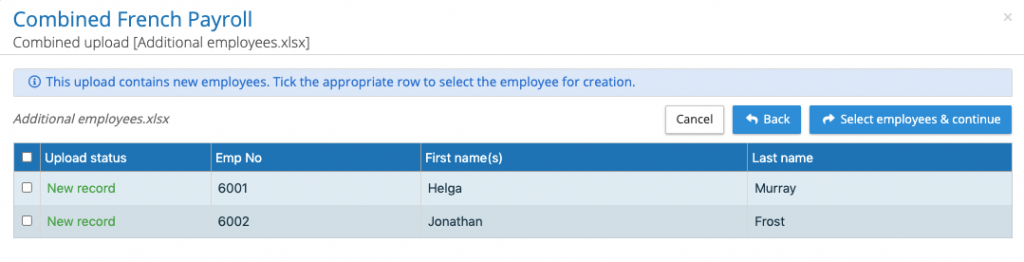
Select the employees to be created and continue with the upload. The system will present an upload summary, if everything is correct click on submit upload.
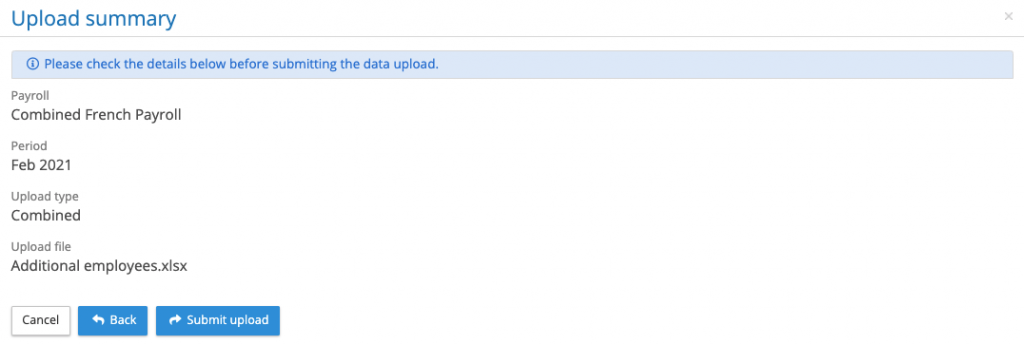
The upload is a background process similar to pre and post processing uploads, a results file will be sent to the user performing the upload.
Combined upload business rules
- All bank account uploads require a bank account effective date column in the spreadsheet. The effective date column can be empty and the system will create the effective date based on the date of upload. If the effective date is in the past, and the system will adjust the date to the date of upload. The bank account name is mandatory.
- All address uploads require an address effective date column in the spreadsheet. The effective date column can be empty and the system will create the effective date based on the date of upload. The date can be in the past, the system will accept the date provided it does not duplicate an existing date. The address country and effective date are mandatory.
- Where an employee has the value TRUE for last pay period, the system will set the employee as in-active from the period of upload.
- All of the headings in the upload file must be unique.
Local payroll number upload
The payroll numbers used by local payroll processors may be different to the client’s employee number, this has caused problems when uploading the gross to net data coming from the local payroll system. IPPEX has changed the status of the local payroll number stored in the employee record, this number must be unique for each employee on a given payroll.
For pre-processing, post processing and time/unit uploads the local payroll number can be used as the upload key to the employee record. Map the local payroll number data column in the upload file to the local payroll number field in the system, ensuring the employee number field is ignored or not present.
New date control on employee record
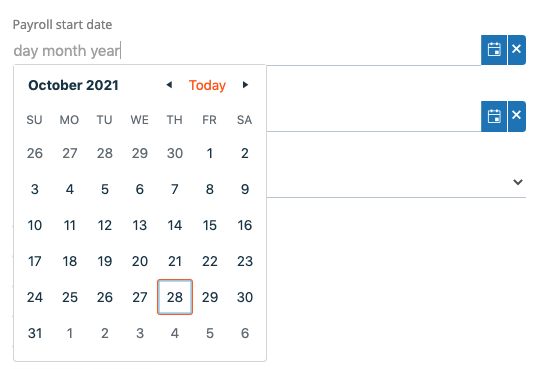
When manually creating employee records or configuring a payroll any date field could only be completed using the drop-down calendar control. The date control has been enhanced to allow keying in of dates within these two areas of the system.
Employee pre-processing / Emp detail kind and local code
IPPEX are in the process of enhancing the changes report configurator, there are two requirements that have emerged. The ability to substitute a pay element or employee detail name with a code or alternative description to align with the requirement of a local payroll system. The code will be used in the new flexible changes report, due out in a future version.
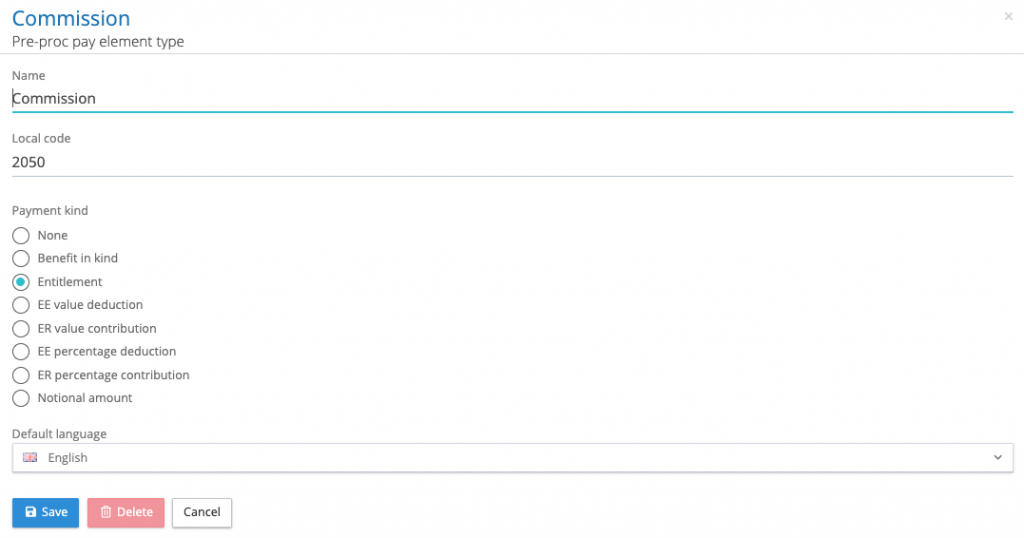
The other requirement is to give more context to pre-processing pay elements, indicating if they are either an entitlement, benefit in kind or a deduction. When pre-processing elements are being created or edited it is possible to give them a local code and a kind.